
In This Article
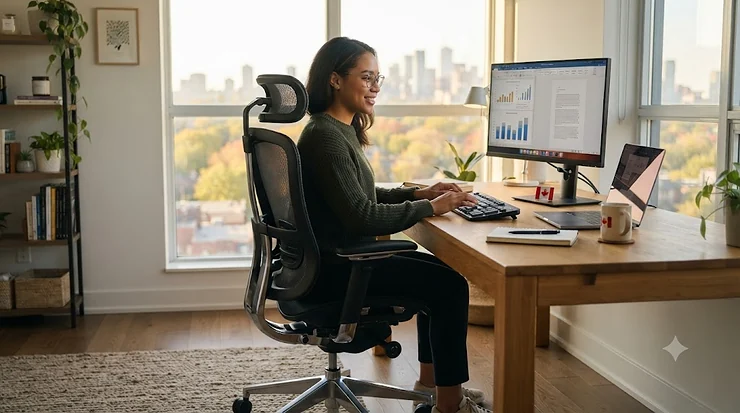
Somewhere around hour six of a workday, your lower back starts sending a very specific message: this chair is lying to you. Maybe it looked ergonomic in the product photo — mesh back, chrome lever, the works — but an hour into a deadline it’s doing nothing for you except slowly rearranging your spine. That’s the problem this office chair buying guide exists to solve. Not “here’s a list of chairs,” but “here’s how to choose ergonomic chair features that actually hold up under an eight-hour Tuesday.”
Canadians spend a strange amount of their lives sitting — commuting less since 2020, working from kitchen tables more, and increasingly discovering that the dining chair they’ve been using since March 2021 was never built for this. A proper chair isn’t vanity spending. It’s closer to a tool purchase, the same category as a good mattress or decent winter boots: unglamorous until you don’t have one.
What follows is a practical office chair specifications guide covering seven real, purchasable chairs across budget, mid-range, and premium tiers, plus the buying logic behind each one. We’ll get into what to look for in office chair listings beyond marketing copy, how lumbar systems actually differ, and an ergonomic chair adjustment guide so whatever you buy gets set up correctly instead of sitting there half-configured for two years. Prices referenced throughout are approximate CAD ranges — always check current pricing before buying, since retail prices shift constantly.
What Is an Ergonomic Office Chair? Quick Comparison Table
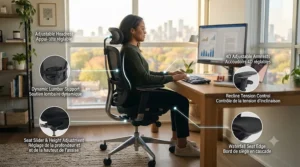
What is an ergonomic office chair? It’s a seat engineered around the body’s natural posture — adjustable lumbar support, a seat pan that doesn’t cut off circulation behind the knees, and a recline mechanism that moves with you instead of locking you into one angle for hours at a stretch.
Before the deep dives, here’s a scan-friendly snapshot of all seven chairs so you can jump straight to the tier that fits your budget and body type.
| Chair | Price Range (CAD) | Best For | Weight Capacity | Warranty |
|---|---|---|---|---|
| Hbada P3 | Under C$200 | First ergonomic upgrade | ~250 lbs | 2 years |
| HON Ignition 2.0 | C$350-C$450 | Reliable all-rounder | ~300 lbs | Limited lifetime |
| FlexiSpot C7 | C$300-C$400 | Mid-range with footrest | ~280 lbs | 2 years |
| Nouhaus Ergo3D | C$300-C$400 | Maximum arm/lumbar tuning | ~275 lbs | 5 years |
| Branch Ergonomic Chair Pro | C$400-C$500 | Best value near-premium | ~275 lbs | 7 years |
| Steelcase Series 1 | C$450-C$550 | Weight-based auto recline | ~300 lbs | 12 years |
| Herman Miller Sayl | C$700-C$950 | Long-term investment piece | ~350 lbs | 12 years |
A few things jump out here that raw specs alone wouldn’t tell you. Notice the warranty column runs from 2 years to 12 — that gap roughly tracks internal build quality, not just brand prestige, since longer warranties usually mean the manufacturer trusts its own mechanism not to fail. Weight capacity also isn’t just about larger body types; a chair rated to 350 lbs generally uses beefier gas cylinders and steel reinforcement that also translates into a sturdier feel for everyone. If your budget tops out around C$400, the Branch and Nouhaus punch well above that price class in adjustability, which we’ll unpack below.
💬 Just one click — help others make better buying decisions too!😊
💬 Found a chair that fits your budget already? Bookmark this guide and keep reading — the adjustment section later on will save you from setting it up wrong.
Top 7 Office Chairs: Expert Analysis
Here’s where the office chair specifications guide gets specific. Each pick below is a real, currently available chair, chosen to cover a genuine spread of budgets and use cases rather than seven variations on the same mid-range mesh chair.
1. Hbada P3 — real ergonomics at a starter price
The Hbada P3 proves a chair doesn’t need a four-figure price tag to check the fundamental ergonomic boxes. It packs a 2D adjustable lumbar pad, an adjustable headrest, height- and width-adjustable armrests, and a 145-degree stepless tilt into a chair that typically lands under C$200.
On paper, that spec sheet reads like chairs costing twice as much: independently moving lumbar support that follows the curve of your spine, rather than a fixed foam bump molded for an “average” back that doesn’t really exist. The stepless recline is the standout — most budget chairs offer two or three locked positions, while stepless tilt lets you stop anywhere along the arc and lock it there, which matters if you like to lean back slightly while reading rather than sitting bolt upright or fully reclined.
Based on the spec comparison against other sub-C$200 chairs, the trade-off shows up in materials rather than mechanisms — the foam is firmer and thinner than what you’d get from a Branch or Steelcase, and the frame feels solid but not built-for-a-decade. Reviewers consistently note that a supplemental seat cushion resolves most of the firmness complaints within the first few weeks of use, and that the assembly is straightforward for a first-timer.
This is the chair for someone buying their first proper ergonomic seat, furnishing a second desk, or simply refusing to spend C$500 before confirming they’ll actually use a home office daily.
Pros:
- ✅ Real 2D lumbar adjustment at an entry price
- ✅ 145-degree stepless recline, rare under C$200
- ✅ Simple, beginner-friendly assembly
Cons:
- ❌ Thinner seat foam than mid-range competitors
- ❌ Shorter 2-year warranty reflects lighter-duty materials
The Hbada P3 typically sits under C$200, making it one of the best value-per-dollar entries in this whole lineup — if you’re testing whether an ergonomic chair even changes how you feel by 4 p.m., this is a low-risk way to find out.
2. HON Ignition 2.0 — synchro-tilt built for long North American workdays
The HON Ignition 2.0 has quietly become one of the best-selling task chairs in North America, and the synchro-tilt mechanism is the reason why. Instead of the seat and back reclining at the same fixed ratio, synchro-tilt lets the backrest recline roughly twice as far as the seat pan tips, so your feet stay planted on the floor even when you lean back.
That distinction matters more than it sounds. A basic tilt mechanism that moves seat and back together tends to lift your feet slightly off the ground during recline, which quietly increases pressure on the back of your thighs — exactly the pressure point ergonomic chairs are supposed to relieve. The Ignition 2.0 also offers height- and width-adjustable arms and a asymmetrical lumbar contour built into the back itself, no separate lumbar knob required.
Aggregated reviewer sentiment is consistently positive on durability and the limited lifetime warranty, with the most common critique centered on the 20-inch seat width pushing the armrests farther apart than some shorter users prefer, even at the narrowest arm setting. That’s a real fit issue worth testing if you’re under about 5’6″.
Pros:
- ✅ Synchro-tilt keeps feet grounded through the recline
- ✅ Limited lifetime warranty, unusual at this price
- ✅ Available with Amazon Prime return flexibility
Cons:
- ❌ Wide seat can leave shorter users’ arms unsupported
- ❌ Fewer style/colour options than newer competitors
Typically priced in the C$350-C$450 range, the Ignition 2.0 is the safe, well-reviewed middle choice — the chair you buy when you want proven reliability over the newest feature list.
3. FlexiSpot C7 — ergonomic performance with relaxation features layered in
The FlexiSpot C7 sits in an unusual spot: it’s an ergonomic task chair that also borrows comfort features more common in recliners, namely an integrated, retractable footrest. Extend it during a call or a slower afternoon, and you get a genuine semi-reclined break without leaving your desk.
Underneath that headline feature, the C7 runs breathable mesh across the back, adjustable lumbar support, and 3D armrests that move up, down, forward, and back. What most buyers overlook about this chair is that the footrest isn’t just a novelty — CCOHS guidance on office ergonomics specifically recommends periodic postural variation over staying locked in one seated position all day, and a chair that makes reclining genuinely comfortable actually encourages people to take that break rather than skip it.
Real aggregated reviews highlight the mesh breathability as a strong point for warmer home offices, with occasional feedback that the footrest mechanism feels less sturdy than the rest of the chair after extended daily use — a fair trade-off for a feature few competitors in this price band include at all.
Pros:
- ✅ Retractable footrest, rare below C$400
- ✅ Breathable full mesh back for warm rooms
- ✅ 3D-adjustable armrests
Cons:
- ❌ Footrest hinge feels less robust than core frame
- ❌ Lumbar adjustment range is narrower than the Nouhaus
Expect to pay in the C$300-C$400 range, positioning the C7 as the pick for anyone who wants their chair to double as a genuine break station, not just a seat.
4. Nouhaus Ergo3D — the tinkerer’s chair, built around total adjustability
If ergonomics means “fits me exactly” rather than “fits an average body,” the Nouhaus Ergo3D is the strongest case for that philosophy in this lineup. The name comes from its 4D armrests, which move up and down, forward and back, side to side, and pivot in angle — four independent axes most competitors compress into two.
That level of control solves a specific, common problem: armrests that are the right height but the wrong width, or the right width but angled wrong for how you naturally rest your forearms. Add a height-adjustable lumbar pad, an adjustable headrest, and a high-elastic mesh back that breathes noticeably better than foam-and-fabric competitors, and the Ergo3D reads like a chair built for people who’ve already owned a “fine” chair and know exactly what bothered them about it.
The honest trade-off, based on the spec comparison against simpler competitors, is setup time — more adjustment points mean more dials to learn on day one. Reviewers consistently describe a genuine learning curve in the first sitting, followed by “set it and forget it” satisfaction once dialed in.
Pros:
- ✅ True 4D armrests, best-in-class adjustability
- ✅ Height-adjustable lumbar and headrest
- ✅ Breathable elastic mesh back
Cons:
- ❌ Steeper learning curve to configure correctly
- ❌ More parts to assemble out of the box
Priced typically in the C$300-C$400 range, the Ergo3D delivers adjustability that would cost considerably more from a premium brand — the catch is you have to actually take the time to use it.
5. Branch Ergonomic Chair Pro — the value benchmark against premium brands
The Branch Ergonomic Chair Pro has built a reputation for edging out chairs costing significantly more in independent testing panels, and the reason comes down to a forward-tilt mechanism most competitors in this price range skip entirely. Forward tilt lets the seat pan angle slightly downward, opening your hip angle beyond 90 degrees — genuinely useful if you lean toward your screen while coding, designing, or editing.
Beyond that headline mechanism, the Chair Pro includes height-adjustable lumbar support, 4D armrests, and a seat depth adjustment that accommodates a wider range of leg lengths than fixed-depth budget chairs. Based on the spec comparison, this is essentially a near-premium feature set — the kind you’d expect from a chair costing C$200-C$300 more — backed by a genuinely long 7-year warranty that signals real confidence in the mechanism’s longevity.
Aggregated reviewer sentiment consistently praises the forward-tilt feature specifically for hybrid coding-and-writing workflows, with comfort, support, and sturdiness rated comparable to chairs at double the price in independent panel testing.
Pros:
- ✅ Forward-tilt mechanism, rare at this price tier
- ✅ 7-year warranty signals serious build confidence
- ✅ Seat depth adjustment for varied leg lengths
Cons:
- ❌ Limited colourway selection compared to budget brands
- ❌ Assembly required, no fully pre-built option
At roughly C$400-C$500, the Branch Ergonomic Chair Pro is arguably the strongest dollar-for-dollar value in this entire guide — this is the chair to compare everything else against before spending more.
6. Steelcase Series 1 — the low-effort premium entry point
The Steelcase Series 1 exists for a specific kind of buyer: someone who wants genuine Steelcase engineering without spending over C$1,000, and who’d rather not fiddle with five separate dials to get there. Its Weight-Activated Mechanism automatically calibrates recline tension based on your body weight the moment you sit down, which removes the most commonly skipped adjustment step in any office chair — most people never bother tuning tension manually, so automating it is a genuinely practical fix rather than a gimmick.
The backrest uses Steelcase’s flexible knit-back material, which contours to your spine’s movement rather than staying rigid through a recline, and the 12-year warranty puts it in the same tier as Herman Miller for long-term confidence. Reviewers who value fidgeting through the workday specifically call out the back’s ability to flex with weight shifts rather than resisting them, which is the core benefit over a stiffer mesh chair.
The honest downside: the back is contoured support rather than a plush sink-in seat, so buyers expecting a soft recliner-style feel may find it firmer than anticipated, and certain configurations charge extra for adjustable arms or lumbar add-ons rather than including them standard.
Pros:
- ✅ Automatic weight-based recline tension, zero setup
- ✅ 12-year warranty matches premium competitors
- ✅ Flexible knit back moves with your posture
Cons:
- ❌ Firmer, more contoured feel than plush alternatives
- ❌ Some adjustments cost extra on certain configurations
Typically priced C$450-C$550, the Series 1 is the shortcut into premium-tier engineering for buyers who’d rather the chair do the adjusting than do it themselves.
7. Herman Miller Sayl — the long-horizon investment piece
The Herman Miller Sayl is the chair in this lineup you buy once and stop thinking about for over a decade. Its defining feature is the unframed 3D Intelligent suspension back — instead of mesh stretched over a rigid frame, elastomer strands of varying thickness stretch directly between the chair’s Y-Tower supports, providing more give exactly where your spine needs it and less everywhere else.
That engineering choice does something specs alone don’t capture: it lets the backrest flex independently across zones rather than moving as one rigid panel, so your lower back gets firmer support while your upper back and shoulders retain freedom of movement. Add passive PostureFit sacral support, a weight capacity up to 350 lbs (159 kg), and Harmonic Tilt for balanced recline, and you get a chair engineered around sustained daily use rather than occasional comfort.
What most buyers overlook about the Sayl specifically is the sustainability angle — Herman Miller states the chair is up to 90% recyclable at end of life, with no PVCs used in construction, which matters if you’re weighing total lifecycle cost and environmental footprint alongside comfort. The 12-year, 3-shift warranty is Herman Miller’s standard commercial-grade backing, meaning it’s rated for use well beyond a typical single 8-hour workday.
Pros:
- ✅ Unframed 3D suspension back, genuinely unique engineering
- ✅ 12-year, 3-shift commercial warranty
- ✅ Up to 90% recyclable, no PVC materials
Cons:
- ❌ Highest price point in this guide by a wide margin
- ❌ Optional lumbar support and arms add to base cost
Expect a range of roughly C$700-C$950 depending on configuration — steep relative to the rest of this list, but amortized over 12 years of daily use, the annual cost lands lower than replacing a C$150 chair every 18-24 months, which is the real math worth doing before dismissing it as expensive.
Benefits vs. Traditional Office Chairs
| Feature | Traditional Fixed Chair | Ergonomic Adjustable Chair | Best For |
|---|---|---|---|
| Lumbar support | Fixed or absent | Height/depth adjustable | Long sitting sessions |
| Recline mechanism | Single locked position | Synchro or weight-based tilt | Active, fidgety sitters |
| Armrest control | Fixed height | 2D-4D adjustable | Varied desk/monitor heights |
| Typical lifespan | 1-2 years | 7-12+ years | Long-term cost per use |
The gap here isn’t marketing spin — it’s mechanical. A fixed chair forces your body to adapt to the furniture, while an adjustable chair adapts to whichever posture you’re actually holding at 2 p.m. versus 9 a.m. Cost-per-use tells the more interesting story: a C$150 fixed chair replaced every 18 months averages out to roughly C$100 a year, while a well-built C$650 ergonomic chair lasting 12 years averages closer to C$54 a year — cheaper over time despite the higher sticker price, and your back gets the better end of the deal the whole way through.
✨ Ready to stop guessing and start comparing? Scroll back up to the chair that matches your budget tier and check current availability.
Practical Usage Guide: Setting Up Your Chair in the First 30 Days
Buying the right chair is half the job — the other half is configuring it correctly, and this is where most people quietly lose the benefit of an expensive purchase. Start with seat height: your knees should sit roughly level with your hips, feet flat on the floor, using a footrest if the desk height forces the seat higher than that. Next, dial in lumbar depth so the support sits in the actual hollow of your lower back, not your mid-back — most people set it too high in the first week and don’t notice until day ten.
Armrests come next, and this is the most commonly skipped step: adjust them so your elbows rest at roughly a 90-degree angle with shoulders relaxed, not shrugged. If you can’t get the armrests low enough without your shoulders creeping up, remove them entirely rather than living with elevated shoulders for eight hours a day — the CCOHS explicitly recommends this trade-off. Finally, set your recline tension so the chair resists slightly but doesn’t require real effort to lean back; too loose and you’ll overcorrect by sitting rigidly upright all day, defeating the point of a reclining mechanism in the first place.
A common first-30-days mistake is treating the initial setup as permanent. Your body adjusts over the first two weeks, and a lumbar or seat-depth setting that felt right on day one often needs a small correction by day fourteen — revisit the adjustments once, deliberately, after that settling-in period.
How to Choose an Office Chair: 7 Criteria That Actually Matter
- Adjustable lumbar support, not just “ergonomic” branding. Look for height and depth adjustment specifically, not a fixed foam bump marketed as lumbar support.
- Seat depth relative to your thigh length. If the front edge presses behind your knees when your back touches the backrest, the seat is too deep for you.
- Armrest range in at least two directions. Height alone isn’t enough if your desk and monitor setup require width or pivot adjustment too.
- Recline mechanism type. Synchro-tilt or weight-activated systems keep your feet grounded through recline; basic tilt often doesn’t.
- Weight capacity with margin, not exactly your body weight. A chair rated close to your actual weight wears out its gas cylinder faster than one with real headroom.
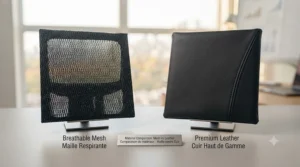
- Materials suited to your climate. Mesh breathes better in warm rooms; foam retains more heat but often feels softer for shorter sessions.
- Warranty length as a build-quality signal. A 2-year warranty on a budget chair is normal; anything under 2 years on a mid-range chair is a red flag worth investigating.
Working through these criteria in order — rather than starting with price or aesthetics — tends to filter out chairs that look right in photos but fail on the details that matter after week three.
Common Mistakes When Buying an Office Chair
The single most common mistake is buying based on looks rather than fit — a chair that photographs beautifully can still have a seat pan too deep for your leg length or armrests that don’t reach where your desk sits. A close second: assuming “gaming chair” and “ergonomic office chair” are interchangeable. Gaming chairs typically prioritize bolstered side support and reclining angle for entertainment use, while true ergonomic task chairs prioritize sustained-posture support for focused work — some hybrid models bridge the gap well, but it’s worth knowing which category you’re actually shopping in.
A third mistake is skipping the return window test entirely. Even a well-reviewed chair can feel wrong for your specific proportions, and most reputable retailers — including Amazon.ca purchases — include a return period specifically because ergonomic fit is genuinely individual. Sit in it for real workdays, not just an evening, before deciding it’s wrong.
Finally, buyers frequently under-budget for a chair relative to how many hours they actually spend in it. If you’re sitting eight-plus hours daily, the cost-per-use math from the comparison table above makes a strong case for spending closer to the mid-range or premium tier rather than replacing a cheap chair every 18 months.
Office Chair vs. Standing Desk Setup: Which Solves Your Problem?
This comparison comes up constantly, and the honest answer is that they solve different problems rather than competing directly. A genuinely ergonomic chair addresses seated posture — spinal alignment, pressure distribution, and support through movement while seated. A standing desk addresses total sitting time, letting you alternate positions throughout the day.
CSA Standard Z412-17 on workplace ergonomics specifically recommends alternating between sitting and standing postures throughout the day rather than committing fully to either extreme, since no single posture — including standing all day — is genuinely comfortable or healthy over an 8-hour stretch. In practice, that means the highest-value setup usually isn’t “chair or desk” but both working together: a well-adjusted ergonomic chair for seated focus work, paired with the option to stand for calls or shorter tasks. If you can only budget for one right now, prioritize the chair — you’ll spend more cumulative hours in it than most people spend standing at a desk they own but rarely use.

Real-World Scenarios: Which Chair Fits Which Buyer
The budget-conscious student or renter. Working from a shared space, moving apartments yearly, sitting 4-6 hours a day between classes and part-time work. The Hbada P3 makes sense here — real ergonomic fundamentals without over-investing in a chair that might not make the next move.
The hybrid remote employee, 7-8 hours daily, five days a week. This is the classic mid-range buyer, and the Branch Ergonomic Chair Pro or Nouhaus Ergo3D both fit well — enough adjustability to genuinely dial in fit, without premium pricing, backed by warranties long enough to outlast a few job changes.
The long-term home office owner who’s already cycled through two cheap chairs. If you’ve already lived the “replace it every 18 months” cycle and are done with it, the Steelcase Series 1 or Herman Miller Sayl represent the math working in your favour over a decade-plus timeline, even with the higher upfront cost.
Problem → Solution: Fixing Common Chair-Related Discomfort
Problem: Lower back ache by mid-afternoon. Solution: check lumbar depth first — most people set it too high, supporting the mid-back instead of the lumbar curve. Chairs like the Nouhaus Ergo3D or Hbada P3 with independently adjustable lumbar height make this an easy fix.
Problem: Shoulder tension and tightness. Solution: armrests set too high force shoulders into a shrugged position for hours. Lower them until shoulders relax, or remove them entirely if the lowest setting still isn’t low enough.
Problem: Numb thighs or pins-and-needles after sitting. Solution: usually a seat depth issue — the front edge is pressing behind the knee. Look for a chair with seat depth adjustment, like the Branch Ergonomic Chair Pro, or simply sit slightly further back if the seat is fixed-depth.
Problem: Overheating during long sessions. Solution: switch to a full-mesh back like the FlexiSpot C7 or Nouhaus Ergo3D rather than foam-and-fabric upholstery, which retains more body heat over multi-hour sessions.
Problem: Chair feels fine for an hour, uncomfortable by hour four. Solution: this usually points to recline tension set too tight, forcing static upright posture all day. Loosen it slightly so gentle reclining feels natural rather than effortful — that small posture variation matters more than people expect.
Ergonomic Chair Adjustment Guide: Getting the Fit Right
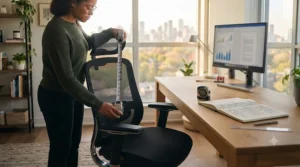
Getting a genuinely ergonomic setup isn’t about owning the right chair — it’s about configuring it correctly, and the CCOHS provides a clear sequence worth following in order. Start with height: adjust until your elbows sit level with your work surface, using a footrest if your feet can’t reach the floor once that height is set. Next, check seat depth by sitting fully back against the backrest — you should be able to fit roughly a closed fist between the front seat edge and the back of your knees.
From there, tilt the backrest forward and back until it fills the natural hollow of your lower back rather than pressing against your mid or upper spine. Sit upright with arms hanging naturally at your sides, then adjust armrest height until they just barely touch the underside of your bent elbows — if that height still elevates your shoulders even slightly, remove the armrests rather than compromise your shoulder position for the sake of using them. Finally, set your seat tilt to whatever forward or backward angle feels most natural for your specific tasks, since no single sitting position remains comfortable over a full workday regardless of how well-adjusted the chair is.
Long-Term Cost & Maintenance
Ergonomic chairs are a genuine long-term cost calculation, not a one-time expense. A well-built chair in the C$400-C$700 range, maintained properly, commonly lasts 10-15 years of daily use — the commercial-grade standard that lets brands like Steelcase and Herman Miller back their products with 12-year warranties. Cheaper chairs relying on stamped steel components and lower-density foam typically fail within 18-24 months, which means the true cost-per-year often favours the more expensive chair once you run the math across its full lifespan.
Maintenance itself is minimal but matters: check gas cylinder function annually, tighten any loosened bolts every few months if the chair sees daily heavy use, and clean mesh or fabric surfaces per manufacturer instructions to prevent premature wear. Casters matched to your flooring type — hard casters for carpet, soft casters for hardwood — also meaningfully extend both floor and wheel lifespan, a detail CCOHS specifically flags in its office ergonomics guidance.
Features That Actually Matter (And Those That Don’t)
Genuinely important: adjustable lumbar support with real height/depth range, synchro or weight-activated tilt, seat depth adjustment, and armrests adjustable in at least two directions. These directly affect sustained posture and comfort across a full workday, and skimping here is where cheap chairs actually fail you.
Frequently overhyped: built-in massage functions, heating elements, and elaborate multi-colour LED accents add cost without meaningfully improving ergonomic support — they’re comfort extras, not posture fundamentals. Similarly, an extremely high maximum recline angle sounds impressive but matters far less than whether the chair maintains proper lumbar contact throughout that recline range. The spec sheet won’t tell you this, but reviewers note that chairs marketed heavily around one flashy feature often cut corners on the boring mechanical fundamentals that actually determine daily comfort.
Buyer’s Decision Framework
If you sit fewer than 4 hours a day and move often, choose a budget chair like the Hbada P3, because the cost-per-use math doesn’t justify premium spending at that usage level. If you sit 6-8 hours daily and want maximum personal fit, choose a highly adjustable mid-range chair like the Nouhaus Ergo3D or Branch Ergonomic Chair Pro, because the extra adjustment axes solve fit problems a simpler chair can’t. If you sit 8+ hours daily for years at a stretch and want to stop thinking about chair replacement, choose a premium option like the Steelcase Series 1 or Herman Miller Sayl, because the long-term cost-per-year and commercial-grade warranty both favour the higher upfront investment.
👉 Still deciding between two tiers? Check today’s pricing and availability on the models above before making the call.
Safety, Certification & Compliance Guide
In Canada, workplace seating guidance falls under CSA Standard Z412-17, which addresses office ergonomics as an application standard rather than a strict legal mandate for individual home purchases — but it’s a genuinely useful benchmark for what “properly designed” actually means. The Canadian Centre for Occupational Health and Safety notes that a chair only becomes truly ergonomic when it specifically suits a given worker’s body dimensions, their workstation, and their tasks — meaning no single chair, however well-reviewed, is universally “ergonomic” for everyone.
For employers setting up remote or hybrid workstations, it’s worth reviewing the CCOHS guidance on adjusting office chairs directly, since correct adjustment affects safety outcomes as much as the chair specification itself. If a chair is being purchased for a registered home-based business or workplace setting, checking in with your provincial occupational health and safety regulator is worthwhile, since specific requirements vary by province.

Frequently Asked Questions
❓ How much should I spend on an ergonomic office chair in Canada?
❓ What is the most important feature in an ergonomic chair?
❓ How long does an ergonomic office chair typically last?
❓ Do I need a standing desk if I already have an ergonomic chair?
❓ Can an ergonomic chair fix existing back pain?
Conclusion
The chair you sit in for eight hours a day isn’t furniture — it’s equipment, and treating it that way changes how you shop for one. Whether you land on the budget-friendly Hbada P3, the near-premium value of the Branch Ergonomic Chair Pro, or the long-horizon investment of a Herman Miller Sayl, the underlying logic stays the same: real lumbar adjustability, a recline mechanism that moves with you, and armrests that actually reach where your work happens.
None of that matters, though, without the setup work — the ergonomic chair adjustment guide above exists because even the best chair on this list underperforms badly when left on factory default settings. Take the twenty minutes to configure it properly, then revisit those settings once after the first couple of weeks as your body settles in. That combination — the right chair, correctly adjusted — is what actually gets you to 5 p.m. without the low-grade ache that sent you looking for a guide like this in the first place.
Recommended for You
- 7 Best Office Chairs for Scoliosis in 2026
- Pregnancy Office Chair Support: 7 Picks That Actually Work (2026)
- 7 Best Office Chairs for Tailbone Pain in Canada (2026)
Disclaimer: This article contains affiliate links. As an Amazon Associate, I earn from qualifying purchases. If you purchase products through these links, we may earn a small commission at no additional cost to you.
✨ Found this helpful? Share it with your friends! 💬🤗
