
In This Article
Your spine doesn’t read the assembly manual that came with your desk chair. It never did. If you’re one of the roughly one in ten Canadians walking around with some degree of lateral spinal curve, you already know that “just sit up straight” is about as useful as advice as “just don’t be tired.” An office chair for scoliosis isn’t a chair with a fancier logo — it’s a chair built to be adjusted asymmetrically, so the support meets your spine where it actually curves rather than where a textbook says it should be. That distinction matters more than any single spec sheet number.
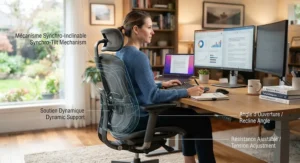
Here’s the frustrating part: most “ergonomic” chairs are engineered for a spine that runs in a straight, predictable line from tailbone to shoulder blades. Yours might lean. It might rotate. One shoulder might quietly sit half an inch higher than the other by 2 p.m., and by 4 p.m. you’re shifting in your seat every ninety seconds trying to find a position that doesn’t ache. According to the Canadian Centre for Occupational Health and Safety, a chair only becomes genuinely ergonomic when it’s matched to the specific body, task, and workstation of the person using it — there’s no such thing as a universally “correct” chair, scoliosis or not.
This guide skips the fluff. We researched seven real, currently available chairs — from a budget mesh option under C$250 to a Herman Miller you’ll still be sitting in a decade from now — and broke down what their lumbar systems, seat geometry, and adjustability actually mean for a curved spine. You’ll get honest analysis grounded in real specs and aggregated review sentiment, not manufactured testimonials. No exact prices (they shift constantly), but clear CAD ranges so you know what tier you’re shopping in. Let’s get your back some relief.
Quick Comparison Table
Before the deep dive, here’s the shortlist. Every chair below offers some form of adjustable or dynamic lumbar support, which the research consistently flags as the single most important feature for asymmetrical spines.
| Chair | Best For | Lumbar Support Style | Price Range (CAD) |
|---|---|---|---|
| SIHOO M18 | Tightest budget | Dual-adjustable (height + depth) | Under C$300 |
| HON Ignition 2.0 | Shared/hybrid workspaces | Height-adjustable pad | C$450–C$600 |
| Branch Ergonomic Chair | Smaller frames, first upgrade | Height-adjustable, removable | C$400–C$500 |
| SIHOO Doro C300 Pro V2 | Reclining throughout the day | Self-adaptive dynamic (3 modes) | C$550–C$700 |
| Branch Ergonomic Chair Pro | Long daily sitting on a mid budget | Two-way (height + depth) | C$650–C$750 |
| Steelcase Leap V2 | Firmness-specific pain points | Height + firmness dial, LiveBack | C$1,600–C$2,100 |
| Herman Miller Aeron | Long-term, sized-to-body investment | PostureFit SL (sacral + lumbar) | C$1,700–C$2,300 |
A quick read of this table already tells you something the marketing copy won’t: price and lumbar sophistication don’t move in a perfectly straight line. The SIHOO Doro C300 Pro V2 undercuts the Branch Ergonomic Chair Pro on price while offering a genuinely more dynamic lumbar system on paper, though it trades away the brand longevity and warranty depth that Branch and Steelcase have built their reputations on. If a firm, precisely dialled lumbar push at one specific spot on your lower back is the priority, the Leap V2’s firmness dial has no real substitute on this list. Budget buyers shouldn’t assume they’re stuck with static support, either — the SIHOO M18 is one of the few sub-C$300 chairs with genuinely dual-adjustable lumbar geometry.
💬 Just one click — help others make better buying decisions too! 😊
💬 Already got a favourite from the table? Scroll down to its full breakdown — or keep reading for the honest trade-offs first.
Top 7 Office Chairs for Scoliosis: Expert Analysis
1. SIHOO M18 — dual-adjustable lumbar at an entry-level price
The M18 opens this list because it proves you don’t need a four-figure budget to get lumbar support that actually moves in two directions. Its “dual-adjustable” pad shifts both vertically and horizontally, so instead of a single fixed bump pressing into whatever part of your spine happens to be there, you can nudge it up, down, in, or out until it sits against your specific curve rather than fighting it.
The chair’s W-shaped foam seat and breathable mesh backrest are built around an S-curve profile meant to cradle both the cervical and lumbar spine, and the headrest adds 9 cm of vertical travel with a 45-degree pivot — useful if your curve pulls your neck slightly off-centre too. Reviewers and testers who’ve spent full workdays in the M18 consistently single out the lumbar adjustability as the standout feature, though several also note the adjustment knobs themselves can feel stiff and require some patience to dial in correctly.
Based on the spec comparison, this is the chair for someone testing whether asymmetric lumbar support even helps them before committing serious money to the idea — a reasonable, low-risk way to find out. What most buyers overlook is that the M18 lacks seat-depth adjustment entirely, which matters if your torso length is on the shorter or longer end. Reviewers consistently note the armrests run firmer than expected, and taller users (above roughly 6’2″) report the backrest running short.
Pros:
✅ Genuinely dual-adjustable lumbar pad at a budget price
✅ Adjustable headrest pivots to support an off-centre neck lean
✅ 330 lb weight capacity is generous for the price tier
Cons:
❌ No seat-depth adjustment for torso length
❌ Adjustment knobs feel stiff during initial setup
At under C$300, the M18 is one of the strongest value plays on this list — a smart first upgrade from a flat kitchen chair, even if it won’t be the last chair you ever buy.
2. HON Ignition 2.0 — office-grade durability without the corporate price tag
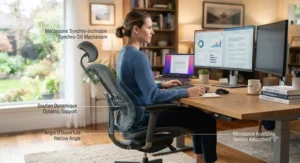
HON has been building commercial task seating for decades, and the Ignition 2.0 reads like it: a synchro-tilt mechanism that reclines the back at a higher ratio than the seat, keeping your hips from sliding forward as you lean back — a small mechanical detail that matters a lot when your pelvis is already sitting slightly rotated from a lumbar curve.
The height-adjustable lumbar pad slides to meet your natural curve rather than assuming it, and the seat itself features a slider that pushes the cushion forward or back to match leg length, which indirectly helps torso alignment too. Independent testing rates the Ignition 2.0’s adjustability as excellent for its price class, with six total adjustment points and a 20-degree tilt range, though the plastic lumbar mechanism draws some criticism for feeling less refined than the mesh-integrated systems on pricier chairs.
Here’s what the spec sheet won’t tell you: the Ignition’s real strength for scoliosis isn’t any single feature, it’s that HON builds to commercial BIFMA standards, meaning the recline and lumbar mechanisms are engineered to survive years of daily adjustment without loosening — a real concern if you’re the type who repositions constantly to manage curve-related fatigue. This is the chair for hybrid workers who want office-grade engineering without an office-grade price.
Pros:
✅ Commercial-grade synchro-tilt built for years of daily use
✅ Seat slider helps align torso relative to backrest
✅ Available in multiple back-height and mesh configurations
Cons:
❌ Lumbar pad is plastic-backed and feels less premium under pressure
❌ Full retail pricing runs high if bought outside sale periods
In the C$450–C$600 range, the Ignition 2.0 sits comfortably between disposable budget chairs and serious ergonomic investments — a dependable middle ground.
3. Branch Ergonomic Chair — the best-rated starter chair for smaller frames
Branch built its reputation on making genuine ergonomic adjustability accessible, and the standard Ergonomic Chair delivers eight points of adjustment including 3D armrests, a seat-depth slider, and a height-adjustable, fully removable lumbar pad — removable matters if you find that even a soft pad presses uncomfortably on a rotated section of spine.
The seat depth slider is the detail worth lingering on. Because scoliosis often shifts how your pelvis sits in a chair, having the backrest able to move independently of the seat pan lets you fine-tune exactly how much lumbar contact you get without changing your leg position. Reviewers have praised the chair as comfortable for extended sitting, and its low minimum seat height and slim profile make it a favourite for petite users — testers as short as 4’9″ report a well-dialled fit. The trade-off is a firmer, padded seat rather than a full mesh pan, which some reviewers say creates pressure points against the hip bones during long sits.
Based on the spec comparison, what most buyers overlook is the 275 lb weight capacity, noticeably lower than the Leap V2’s 400 lbs or the Aeron’s 350 lbs — worth checking against your own body before ordering.
Pros:
✅ Removable, height-adjustable lumbar pad won’t force one-size support
✅ Seat depth slider suits smaller and larger torsos alike
✅ Backed by a 7-year warranty at a mid-tier price
Cons:
❌ Lower 275 lb weight capacity than premium competitors
❌ Padded seat can create hip-bone pressure on very long sits
Priced around C$350–C$450, this is the chair most likely to convert a scoliosis-related skeptic into someone who actually looks forward to sitting down at their desk.
4. SIHOO Doro C300 Pro V2 — dynamic lumbar tracking that follows you into recline
This is where things get genuinely interesting for scoliosis-specific support. The Doro C300 Pro V2’s “Self-Adaptive Dynamic Lumbar Support 2.0” slides downward with your centre of gravity as you recline, closing what reviewers call the “sacrum gap” — that maddening moment in most mesh chairs where you lean back and your lower spine loses contact entirely, leaving muscles to do the bracing work the chair should be doing.
What makes this chair worth a dedicated mention on a scoliosis-focused list is its three selectable lumbar modes: firm support for aggressive lower-back pressure, a gentler touch, and a sacrum-extended mode that reaches lower than a typical lumbar zone — useful if your curve’s discomfort sits closer to the sacroiliac region than the classic lumbar spot. Independent reviewers who’ve spent extended time in the chair describe the lumbar glide as “the real deal,” and the chair earned whole-unit BIFMA certification at a price point where most competitors skip that step entirely.
Reviewers consistently note this is arguably the most mechanically sophisticated chair available under roughly C$700, though extremely tall users (above 6’4″) report the headrest sitting slightly low even at maximum extension. What the spec sheet won’t tell you, but reviewers note, is that the white colourway can look somewhat clinical in a home office — a purely aesthetic quibble, but worth knowing before you order.
Pros:
✅ Three lumbar modes let you match support to your specific curve pattern
✅ Dynamic tracking eliminates the sacrum gap during recline
✅ Whole-chair BIFMA certification at a mid-range price
Cons:
❌ Officially rated only up to 6’3″ in height
❌ White finish can look overly clinical for some home offices
At roughly C$550–C$700, the Doro C300 Pro V2 offers the kind of adjustability you’d expect to pay double for elsewhere.
5. Branch Ergonomic Chair Pro — Branch’s most configurable seat, built for 8-plus hour days
The Pro takes everything the standard Branch chair does and adds the features that scoliosis sitters specifically benefit from: two-way lumbar adjustment (height and depth, not just height), 5D armrests, and a forward seat tilt that helps counter the pelvic tilt that often accompanies a lateral spinal curve.
Fourteen total adjustment points sounds like marketing inflation until you actually use them — the two-way lumbar alone means you can push support closer to or farther from your spine depending on how pronounced your curve is that particular day, since scoliosis-related discomfort can genuinely fluctuate. One reviewer who’d had two spinal surgeries specifically credited the Pro’s adjustability for finally getting them to switch from a chair chosen for looks to one chosen for spinal health, and reported a comfortable, well-dialled fit despite standing just 4’9″.
Here’s what most buyers overlook: the Pro’s 7-year warranty and 400 lb-adjacent adjustment range put it in direct competition with chairs costing considerably more, but its mechanism quality and long-term durability track record simply can’t yet match companies like Steelcase and Herman Miller, which have been refining these same mechanisms for decades. Based on the spec comparison, you’re getting roughly 75-80% of a flagship chair’s ergonomic benefit for a fraction of the price — a genuinely strong trade for most home offices.
Pros:
✅ Two-way lumbar adjustment (height and depth) fits varied curve severity
✅ Forward seat tilt counters pelvic rotation from scoliosis
✅ 5D armrests offer more shoulder-relieving positions than most rivals
Cons:
❌ Long-term durability track record is shorter than legacy brands
❌ Optional headrest and premium materials add to the base price
Expect to pay around C$650–C$750, making the Pro the strongest mid-tier pick for anyone sitting eight-plus hours daily.
6. Steelcase Leap V2 — the firmness-dial chair for precise, localized lumbar pain
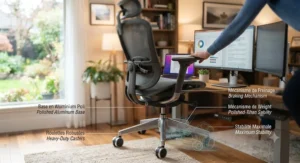
Steelcase’s LiveBack technology is built on a genuinely different premise than most competitors: instead of one rigid backrest shape, the Leap’s shell has separate upper and lower zones that flex independently, mimicking how a healthy spine actually moves through recline — and for scoliosis, where the curve doesn’t distribute pressure evenly, that independent movement matters more than it sounds.
The feature that earns the Leap V2 its spot here specifically is the lower-back firmness dial, letting you set exactly how much resistance you feel at your lumbar zone independent of its height position — a level of granular control most chairs simply don’t offer. Long-term reviewers who’ve owned the chair for years still call its backrest “one of the best in the business,” and the 4D armrests are widely regarded as the reference standard other manufacturers get compared against. The Natural Glide System also slides the seat forward as you recline, keeping your eyes and arms from drifting too far from your monitor — a subtle but genuinely useful detail during those mid-afternoon reclines.
What the spec sheet won’t tell you, but owners note, is that a new Leap V2 carries a steep price, and unless you specifically need the firmness dial or the 15.5-inch minimum seat height, a professionally remanufactured unit — commonly available through certified resellers — delivers the same mechanism and a comparable warranty term for meaningfully less.
Pros:
✅ Independently adjustable lumbar height and firmness dial
✅ 4D armrests widely regarded as the category benchmark
✅ 400 lb weight capacity with a 12-year structural warranty
Cons:
❌ New-unit pricing sits well above most competitors on this list
❌ Headrest is an add-on that can’t be retrofitted later
New units run roughly C$1,600-C$2,100 in Canada, while professionally remanufactured Leap V2 chairs can bring that down substantially for buyers open to a refurbished unit.
7. Herman Miller Aeron (Remastered) — the sized-to-body benchmark for long-term spinal investment
The Aeron earns its reputation the unglamorous way: through three actual chair sizes (A, B, and C), each with different backrest heights, seat widths, and base dimensions — meaning you’re not just adjusting one chair to fit a range of bodies, you’re starting from a frame closer to your own proportions before adjustment even begins. For scoliosis, where curve severity and body size vary enormously person to person, that sizing structure is arguably more valuable than any single lumbar feature.
PostureFit SL, the Aeron’s signature back system, uses two pads working together — one supporting the sacral region to encourage a healthy forward pelvic tilt, a secondary pad addressing the lumbar curve itself — rather than treating the lower spine as a single flat zone needing one uniform push. The 8Z Pellicle suspension material spans eight zones of varying tension across the seat and back, distributing pressure unevenly on purpose, which several ergonomics-focused reviewers point out suits an asymmetrical spine better than a uniformly tensioned mesh would. Reviewers who’ve compared the Aeron against the Leap describe the Aeron’s harder mesh seat as feeling less forgiving under sit-bones for some users, while others prefer its firmer, more supportive base over time.
Based on the spec comparison, the honest trade-off is straightforward: you’re paying premium dollars for a genuinely different design philosophy — one built around sizing and pressure-zone suspension rather than dial-based adjustability — and for many scoliosis sitters, that philosophy simply fits better long-term. Reviewers consistently note that getting the size right (consult Herman Miller’s published size chart before buying) matters more with the Aeron than with almost any other chair on this list.
Pros:
✅ Three distinct sizes mean less compromise before adjustment even starts
✅ PostureFit SL separates sacral and lumbar support into two pads
✅ 8Z Pellicle suspension distributes pressure across eight independent zones
Cons:
❌ Firmer mesh seat may feel less forgiving than padded alternatives
❌ Sizing mistakes are costly, so measuring correctly before ordering matters
Expect roughly C$1,700–C$2,300 for a new Remastered Aeron, positioning it as the long-haul investment pick on this list.
Practical Usage Guide: Setting Up Your Spine Alignment Office Chair
Buying the right chair is maybe 60% of the job. The rest is setup, and this is the part Amazon listings never cover. A genuinely useful spine alignment office chair setup starts with seat height: sit so your feet rest flat on the floor (or a footrest) with knees at roughly a 90 to 100-degree angle, per the CCOHS’s chair-adjustment guidance — too high, and the seat edge presses into your thighs; too low, and your pelvis tilts backward, flattening whatever lumbar curve you’re trying to preserve.
Next, dial in the lumbar support before touching anything else. Sit upright, feel where your lower back naturally curves inward, and adjust the pad’s height until it meets that spot — not your beltline by default, but your actual curve, which for many scoliosis sitters sits slightly off from where manufacturers assume it will be. If your chair offers depth or firmness adjustment, start soft and increase gradually over the first week; jumping straight to maximum firmness on a new chair is a common first-month mistake that leads people to abandon otherwise-good lumbar systems.
Armrests come last: set them so your elbows rest at roughly 90 degrees with shoulders relaxed, not hunched. For maintenance, check gas cylinders and tilt tension every six months — a chair that’s slowly sinking or reclining unpredictably will undo weeks of careful lumbar calibration in days. Set a recurring reminder to re-check your setup seasonally, since footwear, weight fluctuations, and even fatigue subtly shift what “correct” feels like.
Real-World Scenarios: Matching a Chair to Your Situation
The remote-first freelancer on a tight budget. You’re sitting six hours a day at a kitchen-table-turned-desk and your curve causes intermittent, mild discomfort rather than daily pain. The SIHOO M18 or the Branch Ergonomic Chair fit here — enough dual-directional lumbar adjustability to make a real difference without committing serious money before you know how much support you actually need.
The full-time office professional with a moderate curve. Eight-plus hours daily, five days a week, with lower-back discomfort that builds predictably through the afternoon. This is squarely Steelcase Leap V2 or Branch Ergonomic Chair Pro territory — the firmness dial and two-way lumbar adjustment respectively give you room to fine-tune as fatigue changes your posture through the day, which a static budget chair simply can’t match.
The tall or larger-bodied user with a pronounced curve. Weight capacity and sizing both matter more here than lumbar sophistication alone. The Herman Miller Aeron’s Size C or the Steelcase Leap V2’s 400 lb rating give you room that a standard mid-range chair, built around average proportions, won’t reliably offer — and an ill-fitting frame can undo even excellent lumbar engineering.
Buyer’s Decision Framework: If This, Choose That
If your budget is under C$350 and you’re testing whether asymmetric lumbar support helps at all, choose the SIHOO M18, because it delivers genuine dual-adjustability without a serious financial commitment. If you recline frequently throughout the day and lose lumbar contact when you do, choose the SIHOO Doro C300 Pro V2, because its dynamic tracking is purpose-built for exactly that gap. If you need a precisely dialled, independently adjustable firmness at one specific point on your lower back, choose the Steelcase Leap V2 — no other chair on this list offers that same granularity. And if you want to stop thinking about your chair as a variable at all for the next decade, choose the Herman Miller Aeron sized correctly to your body, because the sizing structure does work that adjustment alone can’t fully replicate.
✨ Ready to stop guessing and start sitting comfortably? Check current availability on any of the seven picks above before prices shift.
How to Choose an Office Chair for Scoliosis
What is an office chair for scoliosis? It’s an ergonomic chair with adjustable or dynamic lumbar support that can be positioned asymmetrically to match an individual spinal curve, rather than assuming a straight, centred spine — the core distinction that separates it from a generic “ergonomic” chair.
Choosing one methodically beats guessing from a product photo. Here’s the process worth following:
- Identify where your curve causes discomfort. Lower lumbar, sacral, or mid-back pain each point toward different support features — sacral support like PostureFit SL matters more for pelvic-region discomfort, while a firmness dial suits a single sharp lumbar pressure point.
- Set a realistic budget tier. Entry-level (under C$350), mid-range (C$400-C$750), or premium (C$1,500+) — each tier genuinely changes what adjustability you can access, so decide this before falling for a chair you can’t fit into your budget.
- Prioritize adjustable or removable lumbar support over fixed padding. A rigid, non-adjustable lumbar bump is, per multiple sources, actively counterproductive for an asymmetric spine.
- Check seat depth adjustability if your torso length is above or below average. This affects how well any lumbar system actually reaches your curve at all.
- Confirm the weight capacity and size range fit your actual body, not an “average” assumption — several chairs on this list vary meaningfully here.
- Trial the chair for at least two to three weeks before judging it, since your body needs time to find its correct settings.
- Reassess every six to twelve months, since scoliosis-related discomfort can shift with age, weight changes, or activity level.
Scoliosis Friendly Office Chair Features That Actually Matter (And Which Don’t)
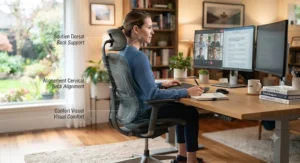
Not every feature marketed toward back pain earns its keep. Scoliosis friendly office chair features that genuinely matter, based on the spec comparisons above, cluster around three things: multi-directional lumbar adjustment (height plus depth, ideally firmness too), seat-depth adjustability, and generous recline range with a mechanism that maintains lumbar contact throughout — the sacrum-gap problem the Doro C300 Pro V2 specifically addresses.
What tends to matter less than the marketing suggests: headrests (nice for breaks, largely irrelevant to spinal alignment during active work), “memory foam” branding on seat cushions (comfort, not correction), and sheer adjustment-point counts once you’re past roughly eight to ten meaningful axes. A chair boasting “14 points of adjustment” isn’t automatically better for scoliosis than one with eight well-chosen ones — what most buyers overlook is that redundant adjustability (like armrest pivot when you rarely rest your elbows) adds cost without adding relief. Reviewers consistently note that a well-executed lumbar system beats a long feature list every time.
Best Posture Chair for Spinal Curvature vs Standard Ergonomic Chairs
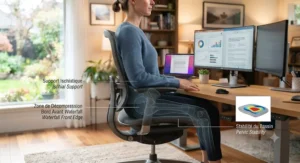
The gap between a best posture chair for spinal curvature and a generic “ergonomic” office chair often isn’t visible in a product photo — it’s in the lumbar geometry underneath the mesh. Standard ergonomic chairs are engineered around population averages: a lumbar bump sized and positioned for a typical, centred spine, sometimes with a single height adjustment and nothing more.
Chairs built with asymmetric spines in mind go further in ways that matter specifically for scoliosis:
| Factor | Standard Ergonomic Chair | Posture Chair for Spinal Curvature |
|---|---|---|
| Lumbar adjustment | Height only, often fixed firmness | Height, depth, and sometimes firmness |
| Seat depth | Frequently fixed | Usually slider-adjustable |
| Recline behaviour | May lose lumbar contact when reclined | Dynamic tracking maintains contact |
| Best For | Mild, general back fatigue | Asymmetric, curve-specific discomfort |
This comparison matters because a chair that’s technically “ergonomic” can still leave a curved spine unsupported at exactly the point it needs help most. The SIHOO Doro C300 Pro V2 and Steelcase Leap V2 both illustrate the difference well — their lumbar systems were engineered around movement and adjustability rather than a single static assumption, which is precisely what a standard chair skips to hit a lower price point.
Benefits vs Traditional Office Chairs: A Closer Look
Swapping a flat kitchen or dining chair for any of the seven picks above delivers benefits that go beyond simple comfort.
| Consideration | Traditional Flat Chair | Scoliosis-Friendly Ergonomic Chair |
|---|---|---|
| Lumbar support | None or fixed cushion | Adjustable to match individual curve |
| Long sitting sessions | Discomfort builds within 1-2 hours | Sustained comfort across 6-8+ hours |
| Pelvic alignment | No tilt correction | Forward tilt/seat depth options available |
| Long-term cost | Low upfront, higher physio/chiropractic cost | Higher upfront, potentially lower ongoing cost |
The value math here isn’t just about the chair itself. Several sources analyzing scoliosis management note that consistent postural support during long sitting sessions can meaningfully reduce the muscular overcompensation that builds up around an asymmetric curve — the kind of compensatory fatigue that often drives people toward chiropractic or physiotherapy appointments they might otherwise need less frequently. That reframes an C$800 chair less as an indulgence and more as a predictable, one-time cost against an open-ended recurring one.
Asymmetric Support Office Chair: What It Means and Who Needs It
An asymmetric support office chair, in practical terms, is one where the lumbar and seat systems can be positioned off-centre or with independently variable pressure — rather than assuming your spine’s curve sits neatly in the middle of the backrest, which for a genuinely straight spine it does, but for a scoliotic one, it frequently doesn’t. Sources focused specifically on spinal asymmetry note that lateral or postural supports become paramount specifically because a scoliotic spine typically pulls the pelvis into an oblique, tilted position, creating uneven weight distribution across the seat itself, not just the backrest.
Who actually needs this level of specificity? Broadly, three groups: people with a moderate-to-significant curve (commonly cited around 20 degrees or more) who notice one-sided fatigue by midday; anyone who’s already tried a “normal” ergonomic chair and found the lumbar support pressing uncomfortably rather than helpfully; and people managing post-surgical spinal fusion, where a rigid, generic lumbar bump can be actively uncomfortable against fused segments. For milder curves under roughly 10 degrees — which, per clinical sources, represent the majority of the population and rarely cause functional issues — a well-adjusted standard ergonomic chair is often entirely sufficient, and jumping straight to premium asymmetric options may be more chair than the situation calls for.
Common Mistakes When Buying a Scoliosis Back Support Chair
The single most common mistake shopping for a scoliosis back support chair: buying based on marketing language like “orthopedic” or “medical-grade” without checking whether the lumbar system is actually adjustable, or just firmly padded and labelled aspirationally. A firm cushion is not the same as adjustable support, and the difference matters enormously for an asymmetric spine.
A second frequent misstep is skipping the trial period. Nearly every chair on this list ships with some return window — using it matters, because a chair that reads well on a spec sheet can still feel wrong once you’ve sat in it for three consecutive workdays. Third, buyers commonly max out lumbar firmness immediately rather than easing into it, which can cause more discomfort in week one and lead to an unfairly negative impression of an otherwise well-designed chair. Finally, people frequently ignore weight capacity and size ranges entirely, assuming “one size fits most” applies to them without checking — a mistake that’s especially costly with chairs like the Aeron, where getting the size wrong undermines the entire design philosophy the chair is built around.
Long-Term Cost & Maintenance
Thinking in total cost of ownership changes the calculus considerably. A C$1,700 Herman Miller Aeron with a 12-year warranty and documented 15-20-year real-world lifespan among owners works out to roughly C$140 or less per year of use — while a C$250 budget chair replaced every 18-24 months as mechanisms wear out can quietly cost more over a decade, not to mention the discomfort of a chair that’s degraded mid-lifecycle.
Maintenance itself is minimal but not optional: gas cylinders typically last 5-10 years under normal use before losing pressure; mesh backs can sag or tear after 3-5 years of daily use depending on quality; casters wear faster on hard flooring without appropriate wheel types. Budget-tier chairs generally carry 1-3 year warranties, mid-range chairs 5-7 years, and premium chairs (Steelcase, Herman Miller) 12 years on the structural frame — a gap worth weighing seriously if you plan to keep the chair long-term rather than replace it every couple of years.
Safety, Certification & Canadian Workplace Standards
If you’re outfitting a Canadian home office or workplace, look for chairs meeting BIFMA (Business and Institutional Furniture Manufacturers Association) standards, which several chairs on this list — including the Branch Ergonomic Chair, HON Ignition 2.0, and SIHOO Doro C300 Pro V2 — explicitly cite. For federally regulated or larger workplaces, the CSA Z412 standard on office ergonomics, referenced directly by the Canadian Centre for Occupational Health and Safety, provides the applicable Canadian benchmark for workstation and seating design, and is worth mentioning if you’re requesting employer accommodation for a documented spinal condition.
It’s also worth staying grounded in what a chair can and can’t do. Scoliosis itself is a structural spinal curve — research from the University of Toronto’s Division of Orthopaedic Surgery at SickKids notes that idiopathic scoliosis accounts for the large majority of cases seen by general practitioners, and that diagnosis and management decisions depend on patient history, physical exam, and imaging — not seating alone. A well-chosen chair manages the daily symptoms of prolonged sitting; it doesn’t treat the underlying curve. If your discomfort is worsening, changing character, or accompanied by new symptoms, that’s a conversation for a physician or physiotherapist, not a product page. Canadian screening and treatment access has itself been an ongoing subject of coverage, with routine school screening having stopped decades ago in most provinces — a reminder that self-advocacy around diagnosis and monitoring matters as much as the chair you eventually choose.
Frequently Asked Questions
❓ What is the best type of chair for scoliosis?
❓ Can a bad office chair make scoliosis worse?
❓ Do standing desks help with scoliosis instead of a chair?
❓ How much should I spend on a scoliosis-friendly office chair?
❓ Is mesh or padded seating better for scoliosis?
Conclusion
There’s no single perfect office chair for scoliosis, and honestly, anyone who tells you otherwise is selling something. What actually moves the needle is matching the specific way your spine curves to a chair whose lumbar system can move with it — dual-adjustable, dynamic, or firmness-tunable support rather than a fixed cushion that assumes your back curves the way a textbook diagram says it should.
Budget shoppers get real value from the SIHOO M18’s dual-directional lumbar pad; mid-range buyers sitting long hours daily should look hard at the Branch Ergonomic Chair Pro or the SIHOO Doro C300 Pro V2’s dynamic tracking; and anyone treating this as a decade-long investment has strong cases for both the Steelcase Leap V2’s firmness dial and the Herman Miller Aeron’s sizing-first approach. Whichever you land on, give it two to three weeks of genuine adjustment before judging it, keep your setup grounded in the CCOHS guidance referenced throughout this piece, and loop in a physiotherapist or physician if discomfort is changing rather than just persisting. Your spine curves in its own particular way — your chair should be willing to curve its support to match.
Recommended for You
- Pregnancy Office Chair Support: 7 Picks That Actually Work (2026)
- 7 Best Office Chairs for Tailbone Pain in Canada (2026)
- Best Office Chair for Tall Person 6’4: Top 7 Picks for Canada (2026)
Disclaimer: This article contains affiliate links. As an Amazon Associate, I earn from qualifying purchases. If you purchase products through these links, we may earn a small commission at no additional cost to you.
✨ Found this helpful? Share it with your friends! 💬🤗
