
In This Article
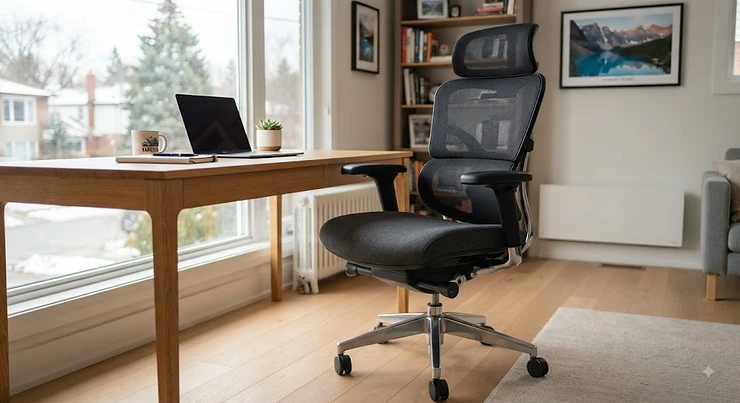
Your spine does not care how nice your desk looks. It cares about what is holding it up for eight, nine, sometimes eleven hours a day, and if the answer is “a dining chair I dragged in from the kitchen in 2021,” that’s a problem a scented candle cannot fix. A high back office chair is built to answer to your whole torso — shoulders, mid-back, lumbar curve, sometimes even the base of your skull — instead of stopping abruptly at your shoulder blades like a lot of task chairs do. That extra few inches of backrest is not decoration. It is the difference between a chair that supports you and one that merely holds you up.
This guide breaks down seven real, currently available high back office chairs spanning bargain-bin prices to genuine executive territory, with honest analysis of who each one actually suits — not just a features list copied from a product page. We looked at real specs, aggregated real review sentiment, and Canadian ergonomics guidance, including the framework laid out by the Canadian Centre for Occupational Health and Safety, to ground the recommendations in something more solid than marketing copy. Whether you’re outfitting a home office in Halifax or replacing the chair that finally gave out after three winters in a Calgary basement, there’s something here worth your attention.
Quick definition, since it comes up constantly: a high back office chair is a task or executive seat whose backrest extends up to or above shoulder height, typically including support for the upper back and often a headrest, unlike mid-back chairs that stop around the shoulder blades.
Quick Comparison Table
| Chair | Best For | Price Range (CAD) | Headrest | Weight Capacity |
|---|---|---|---|---|
| BestOffice High-Back PU Chair | Tightest budgets | Under C$150 | Fixed pillow | ~113 kg (250 lb) |
| Sihoo Doro C300 | Best headrest adjustability | C$400-C$450 | 3D adjustable | ~136 kg (300 lb) |
| FlexiSpot C7 | Hot offices, all-mesh cooling | C$400-C$500 | Adjustable | ~150 kg (330 lb) |
| Branch Ergonomic Chair Pro | Balanced mid-range value | C$550-C$650 | Adjustable | ~125 kg (275 lb) |
| Autonomous ErgoChair Pro | Tinkerers who love adjustment | C$550-C$650 | Adjustable | ~136 kg (300 lb) |
| Herman Miller Sayl | Design-conscious minimalists | C$900-C$1,200 | None (optional add-on) | ~136 kg (300 lb) |
| Steelcase Leap | Premium, all-day executive use | C$1,300-C$1,600 | None (posture-based support) | ~159 kg (350 lb) |
Looking at the spread above, the gap between the cheapest and priciest chair here is more than ten times the cost, yet the actual ergonomic ceiling doesn’t scale quite that linearly — the Sihoo Doro C300 and FlexiSpot C7 cover roughly 80% of what the premium chairs do at a third of the price. Where the expensive chairs earn their keep is in long-term durability and fine-tuned adjustability, which matters more the more hours you log. If you’re testing the waters with a first “real” ergonomic chair, start in the middle of this table rather than at either end.
💬 Just one click — help others make better buying decisions too!😊
Top 7 High Back Office Chairs: Expert Analysis
1. BestOffice High-Back PU Leather Chair — best entry point under C$150
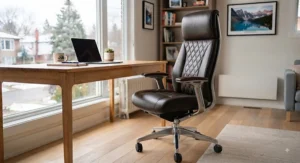
The standout here is simple: it gets you into a genuine high-back chair, headrest included, for less than most people spend on a nice office lamp. Specs are modest but sensible for the price — a PU leather shell over foam padding, a fixed headrest pillow, and a recline range of roughly 90 to 125 degrees with a locking function, which in practice means you can lean back for a phone call without the whole mechanism flopping loose. There’s no lumbar height adjustment to speak of, just built-in curvature, so it works best for people with an average torso length and no existing back issues.
Reviewers consistently describe assembly as quick — under 30 minutes with basic tools — and note the cushioning holds up reasonably well for the first year, though several mention the PU leather starting to crack or peel after 18-24 months of daily use, which tracks with what you’d expect from a budget synthetic material. This is a starter chair, not a forever chair, and it’s honest about that trade-off.
Pros:
- ✅ Lowest price point of any chair on this list
- ✅ Includes a headrest pillow most budget chairs skip
- ✅ Quick, tool-light assembly reviewers praise repeatedly
Cons:
- ❌ PU leather shows wear and cracking within two years
- ❌ No independent lumbar height adjustment
Priced under C$150 at the time of research, the BestOffice High-Back PU Leather Chair delivers fair value as a stopgap or secondary-room chair, but it’s not the pick for someone sitting eight-plus hours a day long-term.
2. Sihoo Doro C300 — best 3D headrest adjustability
What sets the Sihoo Doro C300 apart is how much of the chair actually moves to match you, rather than asking you to match it. The self-adaptive lumbar support flexes with your spine’s own curve instead of locking into one fixed position, and the headrest adjusts in height, depth, and rotation with an auto-lock mechanism — a level of dial-in you rarely see below the C$500 mark. The waterfall-edge seat pan is also worth flagging: it curves down at the front edge specifically to reduce pressure behind the knees during long sitting stretches.
This chair is aimed squarely at people of average to slightly-above-average height (roughly 5’4″ to 6’2″); reviewers who fall outside that range report the frame feeling either too large or too cramped. Aggregated review sentiment is largely positive on comfort and build quality for the price, with a recurring theme that the assembly process is smoother than most flat-pack furniture, complete with spare hardware included.
Pros:
- ✅ Genuinely adjustable 3D headrest, not just fixed padding
- ✅ Self-adaptive lumbar support flexes with movement
- ✅ Waterfall seat edge reduces under-thigh pressure
Cons:
- ❌ Fit is narrow for users outside average height range
- ❌ No forward seat tilt for leaning-in tasks
At around C$400-C$450, the Sihoo Doro C300 is one of the strongest value plays here if your priority is a headrest office chair experience without executive pricing.
3. FlexiSpot C7 — best all-mesh cooling for hot offices
The FlexiSpot C7‘s whole identity is airflow. Where most high-back chairs use mesh only on the upper backrest and foam everywhere else, this one runs breathable mesh across the entire back and seat, which matters enormously if your office runs warm or you’re prone to overheating during long sits — something PU leather chairs actively make worse. The lumbar support adjusts via a rear dial, letting you dial in firmness rather than just height, and the recline mechanism includes forward tilt, a feature usually reserved for pricier ergonomic chairs.
Reviewers who tested it against pricier mesh chairs noted the build feels sturdier than its price suggests, though a few mention the armrests, while 3D adjustable, feel slightly plasticky under sustained wrist pressure. For gamers or anyone who tilts forward while typing, that forward-tilt option is a genuinely useful inclusion most competitors in this price band skip entirely.
Pros:
- ✅ Full mesh construction for serious breathability
- ✅ Forward tilt feature rare at this price point
- ✅ Adjustable lumbar firmness dial, not just position
Cons:
- ❌ Armrests feel less substantial than the rest of the build
- ❌ No dedicated headrest on the base model
In the C$400-C$500 range, the FlexiSpot C7 earns its spot for anyone who runs hot at their desk or does double duty between office work and gaming sessions.
4. Branch Ergonomic Chair Pro — best balanced mid-range value
The Branch Ergonomic Chair Pro doesn’t try to dazzle with one standout gimmick — its strength is that nearly every adjustment point actually works as intended, which sounds like a low bar until you’ve used a chair where half the levers are decorative. Height, seat depth, lumbar position, armrest width and height, and recline tension are all independently adjustable, giving it a genuine multi-user range that suits shared desks or households with more than one body type using the same chair.
Its 275-pound weight rating sits slightly below some competitors here, worth flagging if that’s close to your needs. Aggregated reviews describe the mesh back as supportive without feeling stiff, and testers who compared it directly against pricier chairs noted it “held its own” on adjustability and durability over months of daily use, which is a meaningfully strong result for a chair priced well under four figures.
Pros:
- ✅ Nearly every adjustment point functions as advertised
- ✅ Strong multi-user range for shared or household desks
- ✅ Mesh back rated supportive without feeling rigid
Cons:
- ❌ Lower weight capacity than some rivals at this price
- ❌ No memory settings for multiple users
At roughly C$550-C$650, the Branch Ergonomic Chair Pro is the pick for buyers who want dependable adjustability without chasing a single flashy feature.
5. Autonomous ErgoChair Pro — best for adjustment-obsessed sitters
If you’re the type who fiddles with every knob until it’s exactly right, the Autonomous ErgoChair Pro rewards that instinct. It offers independent adjustment across seat depth, lumbar height and depth, armrest angle, and recline tension, plus a headrest that moves through a wider range of motion than most in this price tier. The frame is rated for roughly 300 pounds, putting it comfortably in line with the mid-premium competition.
Where it distinguishes itself from the Branch Ergonomic Chair Pro above is customization depth rather than raw comfort — it’s the chair for someone who wants to spend twenty minutes dialing in the perfect configuration once and then never touch it again. Review sentiment is mixed but leans positive: some users report the initial adjustment learning curve is steeper than competitors, while long-term owners consistently praise the payoff once everything’s set.
Pros:
- ✅ Widest independent adjustment range in this price bracket
- ✅ Headrest motion range exceeds most mid-tier competitors
- ✅ Rated to approximately 136 kg (300 lb)
Cons:
- ❌ Steeper setup learning curve than simpler competitors
- ❌ Some reviewers find the initial firmness too stiff
Priced similarly to the Branch at C$550-C$650, the Autonomous ErgoChair Pro suits people who see chair setup as a project worth doing properly, not a five-minute task.
6. Herman Miller Sayl — best design-forward minimalist pick
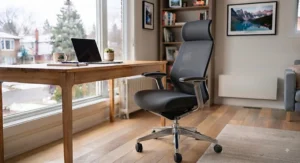
The Herman Miller Sayl takes a different approach entirely: instead of piling on adjustment points, it leans on a single clever engineering idea — a gridded, elastomer backrest inspired by suspension bridge cabling — to flex naturally with your movement rather than requiring you to lock in a fixed recline angle. It’s lower-profile than most chairs on this list, which suits smaller home offices where a towering executive chair would feel oversized.
What most buyers overlook about the Sayl is that its minimalism is a genuine trade-off, not a marketing spin — there’s no dedicated headrest, and lumbar adjustment is more limited than the Sihoo or FlexiSpot options above it in this list. Reviewers who prize aesthetics and a quieter footprint tend to love it; reviewers looking for maximum adjustability tend to find it underwhelming for the price. It’s a design object first and an adjustability machine second.
Pros:
- ✅ Distinctive gridded back flexes naturally with movement
- ✅ Lower profile suits smaller or design-conscious spaces
- ✅ Backed by a long-established, reputable manufacturer
Cons:
- ❌ No dedicated headrest, even as an upgrade on some configurations
- ❌ Limited lumbar adjustability versus mid-range rivals
At roughly C$900-C$1,200, the Herman Miller Sayl is for buyers prioritizing design pedigree and a lighter visual footprint over maximum tunability.
7. Steelcase Leap — best premium executive daily driver
The Steelcase Leap is built around what Steelcase calls LiveBack technology, a backrest engineered to mimic the natural S-curve of your spine as you shift position, rather than forcing your spine to conform to a fixed shape. The seat depth adjusts independently to accommodate different leg lengths, and the whole chair is rated for up to roughly 159 kg (350 lb), the highest capacity on this list. This is the chair Fortune 500 facilities teams buy by the hundred, and that repeat-purchase pattern says something real about long-term durability.
Testers who’ve sat in dozens of premium chairs consistently rank it among the top two or three for genuine all-day support, particularly for users who shift posture frequently rather than sitting rigidly still. The trade-off is obvious: this is executive-tier pricing, and there’s no headrest included, since Steelcase’s engineering philosophy treats posture support as more important than head cradling. For a buyer who sits eight-plus hours daily and treats a chair as infrastructure rather than furniture, it’s hard to out-argue.
Pros:
- ✅ LiveBack design tracks natural spine movement dynamically
- ✅ Highest weight capacity of any chair on this list
- ✅ Long track record in high-hour commercial environments
Cons:
- ❌ Premium pricing puts it out of reach for casual buyers
- ❌ No headrest included in the standard configuration
At C$1,300-C$1,600, the Steelcase Leap is the chair to buy once and stop thinking about — provided your budget can absorb the entry cost.
Real-World Scenarios: Who Should Buy Which Chair
Picture three different people staring at this list, each with a completely different problem. Maria is a university student juggling online classes from a shared apartment bedroom — budget is tight, space is tighter, and the chair needs to survive being shuffled between a desk and a dining table twice a week. For her, the BestOffice High-Back PU Leather Chair or the Sihoo Doro C300 (if she can stretch the budget slightly) make far more sense than anything executive-tier; she needs “good enough for four years,” not “engineered for four decades.”
Then there’s Devon, a remote software developer in his early thirties who sits nine hours a day and has started noticing a dull ache between his shoulder blades by 3 p.m. Devon isn’t looking for the cheapest option — he’s looking for the chair that stops the ache. Something like the FlexiSpot C7 or the Autonomous ErgoChair Pro fits, since both let him dial in lumbar position precisely enough to target that specific mid-back complaint, rather than offering generic cushioning.
Finally, there’s Priya, who runs a small consulting firm out of a converted garage office and does client video calls all day — she wants her setup to look as credible on camera as it feels underneath her. For her, the Herman Miller Sayl‘s design pedigree or the Steelcase Leap‘s executive presence both do double duty: comfort during the workday, and a visual signal of professionalism during calls. None of these three people should buy the same chair, and that’s really the whole point of a seven-chair list instead of a single “winner.”
Problem → Solution: Fixing Common High-Back Chair Complaints
Even a well-chosen chair runs into predictable snags. Here’s how to handle the ones that come up most often.
Problem: The headrest sits too low or digs into your neck. This usually means the headrest height wasn’t adjusted after unboxing — a step people skip because it feels optional. On chairs like the Sihoo Doro C300 with 3D headrest adjustment, spend five minutes finding the point where it contacts the base of your skull, not your neck, while you’re sitting upright.
Problem: Lower back pain persists despite “ergonomic” branding. Lumbar support that’s fixed in one position often sits wrong for your specific torso length. Chairs with independently adjustable lumbar height, like the Branch Ergonomic Chair Pro or Autonomous ErgoChair Pro, let you move the support point up or down until it actually meets your lumbar curve rather than your mid-back.
Problem: The chair feels great for an hour, then uncomfortable by hour four. This is frequently a seat depth issue rather than a backrest issue — if the front edge of the seat presses behind your knees, circulation gets restricted over time. Seat depth adjustment, present on the Steelcase Leap and Autonomous ErgoChair Pro, directly solves this.
Problem: You run hot and sweaty by early afternoon. Swap foam-and-leather for mesh. The FlexiSpot C7‘s full-mesh build is the most direct fix here, since airflow through the material prevents the heat buildup foam padding traps against your back.
Problem: The chair squeaks or the recline mechanism feels loose after a year. This is often a tightening issue, not a defect — most chairs have accessible bolts under the seat pan that loosen naturally with vibration over months of use. A quarterly five-minute check with an Allen key catches this before it becomes a real problem.
How to Choose a High Back Office Chair
Cutting through the marketing noise, here’s the honest checklist, in the order that actually matters:
- Confirm your weight and height fall inside the chair’s rated range. A chair rated for 250 pounds and 5’8″ average frames will feel wrong fast for anyone well outside that window — check the specs before anything else.
- Prioritize independent lumbar adjustment over fixed cushioning. A chair that lets you move the lumbar point up, down, and sometimes in depth will outperform a “built-in ergonomic curve” for most real bodies, since spines vary more than manufacturers admit.
- Decide if you actually want a headrest. Some sitters find headrests essential for reclined breaks; others find them intrusive during focused typing. Try before committing if at all possible.
- Check seat depth adjustability if you’re notably short or tall. This single spec prevents the “circulation-cutting front edge” problem more reliably than any cushioning upgrade.
- Weigh mesh versus foam-and-leather based on your climate and body temperature. Mesh wins for airflow; foam-and-leather wins for a plusher, quieter feel and slightly better long-term structure retention.
- Match the material to your actual budget ceiling, not an aspirational one. A C$450 chair used properly outperforms a C$1,200 chair adjusted poorly — fit and setup matter more than sticker price beyond a certain point.
- Read aggregated review sentiment for your specific model, not just the brand’s reputation. Sihoo, Steelcase, and Herman Miller all make several distinct chair lines, and quality varies meaningfully between them.
Following the CSA Z412 office ergonomics guidance summarized by the Occupational Health Clinics for Ontario Workers, adjustability itself — not any single feature — is the strongest predictor of whether a chair will actually fit the person sitting in it.
Common Mistakes When Buying a High Back Office Chair
The single most common mistake is buying based on the tallest backrest in the catalogue, assuming “higher equals better ergonomics.” A tall backrest that isn’t shaped to your spine’s actual curve just moves the problem higher up your back instead of solving it. Height matters far less than contour and adjustability.
A close second: skipping the weight-and-height rating entirely. Buyers assume “one size fits most” applies universally, but a chair engineered around a 5’6″, 160-pound average frame will genuinely underperform for someone 6’3″, and vice versa for someone under 5’2″. Check this before checking the colour options.
Another frequent misstep is assuming mesh is always the “healthier” choice because it looks more technical and breathable. Mesh is excellent for temperature regulation, but a poorly tensioned mesh back can actually provide less consistent lumbar contact than a well-shaped foam cushion — the material isn’t automatically superior, it’s a different trade-off.
Finally, plenty of buyers skip adjustment entirely after unboxing, leaving armrests, lumbar height, and recline tension at factory defaults. Even the Steelcase Leap, engineered by professionals, needs its seat depth and recline tension actually set to your body to deliver on its reputation. An unadjusted premium chair can underperform an adjusted budget one.
High Back Office Chair vs Mid-Back and Low-Back Chairs
The core difference is straightforward: a high back office chair extends support to shoulder height or above, sometimes including a headrest, while mid-back chairs stop around the shoulder blades and low-back or task chairs stop even lower, near the ribs. That extra height matters most for people who recline frequently during the day or who carry tension specifically in the upper back and neck, since a mid-back chair simply has nothing to lean into up there.
| Chair Type | Backrest Height | Best For | Typical Price Range |
|---|---|---|---|
| High Back (e.g. Sihoo Doro C300, Steelcase Leap) | Shoulder height or above | Recliners, upper-back tension, video calls | C$150-C$1,600 |
| Mid-Back | Mid-shoulder-blade | Upright typists, smaller desks | C$150-C$800 |
| Low-Back / Task | Rib to lower-shoulder | Standing-desk pairing, minimal space | C$100-C$500 |
The analysis behind this table is fairly direct: mid-back and low-back chairs aren’t inferior products, they’re built for a different posture pattern. Someone who mostly leans forward toward their monitor and rarely reclines may genuinely get more day-to-day comfort from a lighter mid-back chair with excellent lumbar support than from a high-back chair whose upper section goes unused. High-back chairs earn their keep specifically for reclining, video-call posture, and upper-back or neck tension — if none of those describe your work style, don’t assume “bigger backrest” automatically means “better chair.”
🪑 Not sure which category fits your setup? Cross-reference your daily posture against the table above before you commit to a category, not just a model.
Upper Back Support: What Actually Helps
Upper back tension — that persistent ache between the shoulder blades — is often blamed on “bad posture,” but the more precise cause is usually static loading: your muscles holding one position for hours without the periodic postural shifts your spine actually needs. A landmark Canadian study out of Memorial University and the University of Waterloo, reported by CBC News, examined exactly this mechanism, looking at how prolonged, static sitting contributes to back injury risk over time — research that directly informs why adjustability, not just cushioning, is the feature worth chasing.
In practice, upper back support in a chair works through three mechanisms: a backrest tall enough to actually reach the area (ruling out mid-back and low-back chairs entirely), a recline mechanism that encourages periodic backward shifts rather than locking you rigidly upright, and — for chairs like the FlexiSpot C7 and Sihoo Doro C300 — lumbar and back contouring that supports the whole spine’s natural curve rather than just the lower back. What most buyers overlook is that a chair with excellent lumbar support but a short backrest does nothing for upper-back tension specifically; the two problems require different chair features entirely, which is exactly why “high back” as a category exists separately from standard ergonomic task chairs.
Headrest Office Chair Features Worth Paying For
Not every high back chair includes a headrest, and not every headrest is worth having. The Herman Miller Sayl and Steelcase Leap both skip one entirely, betting instead on posture-support engineering that keeps your head naturally aligned without needing to rest it. That’s a legitimate design philosophy, but it means neither chair suits someone who specifically wants to lean back and rest their head during calls or thinking breaks.
Where a headrest earns its keep is adjustability, not presence. A fixed pillow headrest, like the one on the BestOffice High-Back PU Leather Chair, helps only if your neck height happens to match its fixed position — for anyone else, it’s either too low to reach or pressing awkwardly against the back of the head rather than the neck’s base. The Sihoo Doro C300‘s 3D-adjustable version, moving in height, depth, and rotation, solves this by letting you find your specific contact point rather than hoping the factory guessed correctly.
The honest advice: if you spend meaningful time reclined on calls or reading, prioritize a chair with height-and-angle-adjustable headrest support. If you sit upright and forward-focused most of the day, a headrest is largely cosmetic for you, and the budget might be better spent on lumbar and seat-depth adjustability instead.
Executive Chair Design: Form Meets Function
There’s a specific visual language to “executive chair design” — taller backrests, often leather or leather-look upholstery, a more substantial visual presence meant to convey authority in a corner office or on a video call. The Steelcase Leap and Herman Miller Sayl both nod toward this aesthetic in different ways: the Leap through sheer engineered substance and premium materials, the Sayl through a deliberately architectural, almost sculptural minimalism that reads as design-forward rather than traditionally “executive.”
Here’s what most buyers overlook about executive design specifically: the visual signalling and the ergonomic substance are separate purchases that happen to often ship together. A chair can look executive — thick padding, dark leather, imposing height — while offering worse actual back support than a plain mesh task chair a third of the price, because the visual cues (height, material, bulk) don’t reliably correlate with adjustability or spinal support engineering. If you’re buying specifically for the on-camera or in-office visual impression, that’s a completely valid priority, but treat it as a separate line item from ergonomic performance rather than assuming they’re the same purchase.
For buyers who want both, look specifically for executive-styled chairs that still disclose real adjustability specs — seat depth, independent lumbar height, recline tension — rather than chairs that lean entirely on leather and bulk to imply quality.
Long-Term Cost & Maintenance
A cheap chair bought three times over five years often costs more than one solid chair bought once — the math is straightforward but easy to ignore in the moment. The BestOffice High-Back PU Leather Chair, at under C$150, is genuinely excellent value if it lasts its expected two-to-three years, but replacing it twice over a decade puts total spend close to a single Branch Ergonomic Chair Pro purchase, which is typically warrantied and built for a longer service life from the start.
Maintenance costs matter too, and they’re rarely advertised. PU leather chairs need occasional conditioning to prevent premature cracking, and once the surface starts peeling, there’s no practical repair — it’s a full reupholster or replacement. Mesh chairs like the FlexiSpot C7 avoid that specific failure mode entirely, since there’s no surface coating to crack, though mesh tension can loosen slightly over years of heavy use. Premium chairs like the Steelcase Leap typically carry extended warranties — often 10-12 years — that meaningfully change the cost-per-year math once you account for likely mechanism failures on cheaper alternatives over the same period.
The practical takeaway: calculate cost-per-year of expected use, not just sticker price, before deciding a budget chair is the smarter buy. A C$1,400 chair used for twelve years costs roughly C$117 annually; a C$130 chair replaced every two-and-a-half years costs about C$52 annually but with three separate assembly headaches and disposal issues along the way. Neither answer is universally correct — it depends honestly on how many years you can commit to one setup.
Safety, Regulations & CSA Ergonomics Compliance in Canada
Canada doesn’t have blanket legislation dictating exactly what office chair you must buy, but there is a recognized national reference point: CSA Z412, the Canadian Standards Association’s application standard for workplace ergonomics, which lays out chair dimension guidance, adjustability expectations, and the broader principle that equipment should fit the individual user rather than a generic average. Employers setting up shared or multi-user workstations are specifically encouraged to procure against this standard rather than guessing.
For home-office buyers, the standard’s most useful takeaway isn’t the specific dimensions — it’s the underlying philosophy: there’s no single “correct” sitting posture that suits everyone for extended periods, which is precisely why adjustability keeps coming up as the deciding factor throughout this guide rather than any single fixed feature. Peer-reviewed research on office chair design features and lumbar spine posture backs this up directly, finding that even well-designed lumbar and tilt features don’t eliminate sitting-related discomfort for a meaningful share of users — reinforcing that posture variety throughout the day, not just chair selection alone, plays a real role in reducing strain.
Practically, this means: prioritize chairs with genuine multi-point adjustability over ones relying on a single “ergonomic” claim, take breaks and shift position through the day regardless of chair quality, and treat any product labelled “ergonomic” with mild skepticism, since — as ergonomics researchers point out — the term carries no regulated legal definition in Canada.
High Back Ergonomic Chair Review Roundup: What Real Buyers Say
Pulling aggregated sentiment across the chairs in this guide reveals a few consistent patterns worth knowing before you buy. Across budget and mid-range models alike, assembly quality and included spare hardware come up again and again as a genuine point of praise — manufacturers seem to have gotten better at this specific pain point over the last few years compared to older generations of flat-pack furniture.
On the complaint side, the most repeated theme across nearly every price tier is fit range: reviewers outside average height and weight ranges consistently report the biggest disappointments, regardless of how premium the chair is. This lines up with the ergonomics research cited above — a chair engineered around average anthropometric data will, by definition, underperform for anyone meaningfully outside that average. Reviewers of the Sihoo Doro C300 specifically flag this for users over 6’2″ or under 5’4″; reviewers of the Steelcase Leap, by contrast, report broader satisfaction across height ranges, likely reflecting its wider adjustment range and higher weight rating.
A third recurring theme, particularly for mesh chairs like the FlexiSpot C7 and Branch Ergonomic Chair Pro: initial firmness or tension often feels off until buyers actually use the adjustment mechanisms, at which point satisfaction climbs noticeably. This reinforces a point made earlier — an unadjusted chair, however well engineered, routinely underperforms its own specifications.
Frequently Asked Questions
❓ What makes a chair 'high back' instead of just ergonomic?
❓ Is a high back office chair better for upper back pain?
❓ Do I need a headrest on a high back office chair?
❓ What is the best high back office chair for under C$500?
❓ How long should a good high back office chair last?
Conclusion
There’s no single “best” high back office chair, and honestly, anyone claiming otherwise hasn’t accounted for how differently bodies, budgets, and workstyles actually vary. What the research and aggregated reviews consistently point to instead is adjustability as the real differentiator — a chair that moves with you, whether that’s a C$400 Sihoo Doro C300 with a genuinely adjustable headrest or a C$1,500 Steelcase Leap engineered around dynamic spine movement, will consistently outperform a taller, pricier chair that simply looks the part.
Start with your actual constraints — budget ceiling, height and weight, how many hours you sit, whether you recline or stay forward-focused — and work backward to the chair that matches, rather than starting from a “best of” list and hoping it fits. Every chair featured here earns its spot for a specific kind of sitter; the job now is figuring out which one is you.
✨ Ready to stop guessing and start sitting properly?
Compare the seven picks above against your own height, weight, and budget, and check current availability before making the call — prices and stock on these models shift often, so don’t wait too long once you’ve found your fit.
Recommended for You
- 7 Best Black Leather Office Chairs in Canada
- 7 Best Brown Leather Office Chairs for Canadian Home Offices (2026)
- 7 Best Faux Leather Office Chairs in Canada
Disclaimer: This article contains affiliate links. As an Amazon Associate, I earn from qualifying purchases. If you purchase products through these links, we may earn a small commission at no additional cost to you.
✨ Found this helpful? Share it with your friends! 💬🤗
