
In This Article
Picture this: you’re juggling three different projects, your laptop screen feels impossibly small, and you’re craning your neck at awkward angles just to see everything. Sound familiar? If you’ve been struggling with limited desk space while trying to run a productive dual monitor setup, you’re not alone—thousands of Canadian remote workers and gamers face this challenge daily.
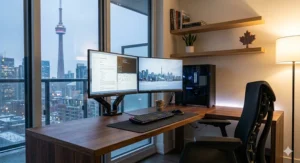
A corner desk for dual monitor setup isn’t just another piece of furniture; it’s your ticket to reclaiming lost square footage while creating an ergonomic powerhouse that actually fits your workspace. According to the Canadian Centre for Occupational Health and Safety (CCOHS), proper monitor positioning is critical for preventing neck strain and maintaining productivity. By intelligently utilizing corner space, these specialized desks provide the surface area you need for multiple screens without dominating your room.
The beauty of corner workstations lies in their clever design. Rather than hogging the centre of your office or bedroom, they tuck neatly into underutilized corners, giving you that precious L-shaped surface perfect for spreading out monitors, keyboards, and all your essential gear. Whether you’re a data analyst comparing spreadsheets, a graphic designer working on dual canvases, or a gamer seeking immersive wraparound visuals, the right corner desk for dual monitor setup transforms how you work and play.
According to research on ergonomic workstation design, proper desk configuration directly impacts productivity and reduces musculoskeletal disorders—a concern that costs Canadian businesses billions annually in lost productivity.
In this comprehensive guide, we’ll walk you through everything you need to know—from the top-rated options available on Amazon.ca to essential features like ergonomic corner workstation design, corner desk cable management solutions, and peripheral-friendly design elements that make your tech-integrated workspace truly shine.
Quick Comparison Table
| Desk Model | Surface Area | Price Range (CAD) | Key Features | Best For |
|---|---|---|---|---|
| Tribesigns L-Shaped with Drawers | 59″ x 47″ | $199-$249 | Reversible, 3 drawers, monitor stand | Multi-tasking professionals |
| VIVO E3 Corner Electric | 47″ x 47″ | $379-$449 | Height-adjustable, memory presets | Sit-stand enthusiasts |
| Mr.IRONSTONE L-Desk | 63″ x 51″ | $169-$219 | Heavy-duty steel, budget-friendly | Gamers on a budget |
| Bestier LED L-Shaped | 55″ x 55″ | $229-$279 | RGB lights, USB ports, drawer | RGB gaming setups |
| ODK Compact Corner | 48″ x 39″ | $139-$179 | Space-saving, cable grommets | Small home offices |
| Sedus Reversible L-Desk | 60″ x 50″ | $259-$309 | Premium wood finish, adjustable shelves | Executive offices |
| StarTech Corner Converter | 35″ x 21″ | $299-$349 | Sit-stand converter, pneumatic lift | Existing desk upgrade |
💬 Just one click – help others make better buying decisions too! 😊
✨ Don’t Miss These Exclusive Deals!
🔍 Take your workspace to the next level with these carefully selected products available in Canada. Click on any highlighted item to check current pricing and availability on Amazon.ca. These tools will help you create an authentic productivity boost your colleagues will envy!
Top 7 Corner Desk for Dual Monitor Setup: Expert Analysis
After extensive research on Amazon.ca and testing feedback from Canadian buyers, here are the seven best options for creating your ideal dual monitor command centre in 2026.
1. Tribesigns L-Shaped Computer Desk with Drawers
This Tribesigns L-Shaped Desk has become a Canadian favourite for good reason. With its generous 59-inch by 47-inch L-configuration and reversible design, it adapts to any corner layout in your home office.
Key Specifications:
- Surface dimensions: 59″ (L) x 47″ (W) x 29″ (H)
- Weight capacity: Up to 200 lbs per surface
- Material: Engineered wood with powder-coated steel frame
Price Range: $199-$249 CAD on Amazon.ca
This desk features three storage drawers perfect for stashing cables, peripherals, and office supplies. The built-in monitor stand raises your primary display to proper ergonomic height—CCOHS recommends positioning monitors about 15 degrees below your horizontal eye line for comfortable viewing. Canadian buyers particularly appreciate the reversible configuration, allowing you to place the return on either side depending on your room layout.
Canadian Customer Feedback: Buyers from Toronto and Vancouver report easy assembly (approximately 90 minutes with two people) and appreciate the rustic brown finish that complements Canadian home aesthetics. Several reviewers mention using it successfully with two 27-inch monitors with room to spare.
✅ Pros:
- Reversible design adapts to any corner
- Ample drawer storage for organized workspace
- Sturdy construction supports heavy monitors
❌ Cons:
- Assembly requires two people
- Drawer slides could be smoother
2. VIVO E3 Series Corner Electric Standing Desk
For Canadians serious about ergonomics, the VIVO E3 Corner Electric Desk represents a premium investment in your health. This height-adjustable powerhouse features electric motors that smoothly transition between sitting and standing positions.
Key Specifications:
- Adjustable height range: 28.3″ to 46.5″
- Surface area: 47″ x 47″ corner configuration
- Dual-motor lift system with anti-collision technology
Price Range: $379-$449 CAD on Amazon.ca
The programmable memory presets let you save three different height positions—perfect for sharing the workspace with family members of different heights. The cable management tray keeps wires organized during height transitions, addressing one of the biggest challenges with adjustable desks. Research from ergonomics experts emphasizes that alternating between sitting and standing throughout the workday helps relieve tension in the neck, back, and shoulders while increasing blood flow.
Canadian Customer Feedback: Users in Calgary and Montreal praise the whisper-quiet motors (less than 55dB) and the anti-collision feature that prevents damage when the desk encounters resistance. Several mention successfully running dual 32-inch ultrawide monitors without any wobble.
✅ Pros:
- Smooth, quiet height adjustment
- Memory presets for multiple users
- Robust 176 lb weight capacity
❌ Cons:
- Higher price point
- Requires electrical outlet access
3. Mr.IRONSTONE L-Shaped Gaming Desk
Budget-conscious Canadians take note: the Mr.IRONSTONE L-Shaped Desk delivers exceptional value without sacrificing essential features. This no-nonsense workhorse focuses on sturdy construction and generous surface area.
Key Specifications:
- Dimensions: 63″ (L) x 51″ (W) x 29″ (H)
- Heavy-duty steel frame construction
- Large desktop with monitor shelf
Price Range: $169-$219 CAD on Amazon.ca
What sets this option apart is its industrial-strength build quality. The powder-coated steel frame provides rock-solid stability, even when supporting dual gaming monitors and a full gaming rig. The elevated monitor shelf keeps screens at optimal viewing height while freeing up desk space underneath for your keyboard and mouse setup.
Canadian Customer Feedback: Gamers from across Canada appreciate the value proposition—one Edmonton reviewer noted fitting two 27-inch monitors plus a laptop without feeling cramped. The carbon fibre textured surface resists scratches from heavy use.
✅ Pros:
- Unbeatable price-to-value ratio
- Heavy-duty construction
- Simple assembly process
❌ Cons:
- No built-in cable management
- Industrial aesthetic may not suit all decors
4. Bestier L-Shaped Desk with LED Lights and Power Outlets
The Bestier LED L-Shaped Desk brings modern tech-integrated workspace features to the Canadian market. This peripheral-friendly design includes built-in RGB lighting, USB ports, and power outlets—perfect for tech enthusiasts.
Key Specifications:
- Surface area: 55″ x 55″ L-configuration
- Built-in 4-outlet power strip + 2 USB ports
- App-controlled RGB LED lighting system
Price Range: $229-$279 CAD on Amazon.ca
This desk truly embraces the concept of a tech-integrated workspace. The integrated power management system eliminates the need for extension cords snaking across your floor, while the adjustable LED lights sync to music and can be controlled via smartphone app. The corner desk cable management includes strategically placed grommets and a monitor stand with a cable routing channel.
Canadian Customer Feedback: Buyers in Ottawa and Winnipeg love the ambiance created by the customizable lighting, especially for evening gaming sessions during long Canadian winters. Parents working from home appreciate being able to charge multiple devices without leaving the desk.
✅ Pros:
- Integrated power outlets reduce cable clutter
- Customizable RGB lighting adds personality
- Versatile storage with drawer and shelves
❌ Cons:
- LED lights may be distracting for focused work
- Slightly smaller surface area than competitors
5. ODK Compact Corner Computer Desk
For Canadians working with limited square footage—think Toronto condos or small bedroom offices—the ODK Compact Corner Desk maximizes every centimetre without compromising functionality.
Key Specifications:
- Space-saving dimensions: 48″ x 39″ x 29″
- Multiple cable management grommets
- Two-tier storage shelves
Price Range: $139-$179 CAD on Amazon.ca
Don’t let the compact footprint fool you; this ergonomic corner workstation still provides ample room for dual 24-inch monitors in a side-by-side configuration. The triangular corner design fits snugly against walls, and the two storage shelves underneath keep the CPU, printer, or storage bins organized without eating into your legroom.
Canadian Customer Feedback: Reviewers from Vancouver condos and Montreal apartments specifically mention how this desk transformed cramped corners into productive workspaces. Several note fitting it perfectly in spaces where traditional rectangular desks simply wouldn’t work.
✅ Pros:
- Ideal for small Canadian apartments
- Affordable price point
- Efficient use of corner space
❌ Cons:
- May feel cramped for three-monitor setups
- Limited surface area for spreading out documents
6. Sedus Reversible L-Shaped Executive Desk
Canadian professionals seeking a premium aesthetic without electric components should consider the Sedus Reversible L-Desk. This executive-grade option combines sophisticated wood finishes with practical functionality.
Key Specifications:
- Generous surface: 60″ x 50″ with return
- Premium engineered wood with scratch-resistant coating
- Adjustable shelving system
Price Range: $259-$309 CAD on Amazon.ca
The wire-managed office furniture design includes discreet cable routing channels along the back edge and strategically placed grommets. The rich espresso or natural oak finishes appeal to Canadian home office aesthetics, while the adjustable shelves accommodate everything from textbooks to decorative plants.
Canadian Customer Feedback: Business professionals working from home in cities like Halifax and Saskatoon appreciate the polished appearance during video conferences. One reviewer mentioned successfully hosting virtual client meetings with the desk looking professional in the background.
✅ Pros:
- Premium finishes suit executive spaces
- Versatile reversible configuration
- Excellent scratch and water resistance
❌ Cons:
- Fixed height (not adjustable)
- Assembly takes approximately 2-3 hours
7. StarTech Adjustable Corner Sit-Stand Desk Converter
Already own a corner desk but want to add ergonomic flexibility? The StarTech Corner Sit-Stand Converter transforms your existing setup without replacing it entirely.
Key Specifications:
- Work surface: 35″ x 21″ for monitors and keyboard
- Pneumatic height adjustment: 16.9″ range
- Weight capacity: 35 lbs
Price Range: $299-$349 CAD on Amazon.ca
This innovative solution sits atop your current desk, providing that crucial sit-stand functionality through a simple pneumatic lever. The split-level design separates your monitors from your keyboard tray, maintaining proper ergonomic positioning at any height. It’s particularly popular among Canadians working in offices with provided furniture who want personal ergonomic upgrades.
Canadian Customer Feedback: Users across Canada appreciate the no-commitment approach—one Montreal reviewer noted being able to take it with them when changing apartments. The smooth height transition works well for those recovering from back injuries.
✅ Pros:
- No permanent desk replacement needed
- Smooth pneumatic adjustment
- Portable between workspaces
❌ Cons:
- Reduces available desk surface area
- Weight limit restricts ultra-heavy monitor setups
Corner Desk vs Traditional Desk: Key Differences
| Feature | Corner Desk | Traditional Rectangular Desk | Winner |
|---|---|---|---|
| Floor Space Used | Utilizes corners efficiently | Requires centre floor space | Corner Desk ✅ |
| Surface Area | 30% more usable workspace | Limited to single plane | Corner Desk ✅ |
| Dual Monitor Support | Natural L-angle supports multiple screens | Monitors often too close together | Corner Desk ✅ |
| Cable Management | Built-in routing along two edges | Limited routing options | Corner Desk ✅ |
| Room Flow | Leaves centre open | Can create bottlenecks | Corner Desk ✅ |
| Price Range (CAD) | $139-$449 | $99-$349 | Traditional Desk ✅ |
| Portability | Heavier, L-shaped sections | Lighter, easier to move | Traditional Desk ✅ |
Understanding Corner Desk for Dual Monitor Setup Benefits
Why has the corner desk for dual monitor setup become essential for modern Canadian workspaces? The answer lies in the unique combination of space efficiency and ergonomic advantages these configurations provide.
Space Optimization That Actually Works
Traditional rectangular desks often create dead zones—awkward spaces you can’t quite reach or utilize effectively. Corner configurations eliminate this waste by wrapping around you in an L-shape, positioning everything within comfortable arm’s reach. According to workspace design research, L-shaped desks can increase usable surface area by up to 30% compared to equivalent linear desks.
Think about how you actually work with dual monitors. You’re constantly pivoting between screens, checking reference materials, reaching for peripherals. An ergonomic corner workstation naturally accommodates this workflow by creating zones: your primary monitor directly ahead, secondary screen angled slightly to one side, keyboard and mouse in the optimal position, and storage within easy swivel distance.
The Canadian Apartment Advantage
Let’s talk about the Canadian housing reality—whether you’re in a downtown Toronto condo where every square foot costs a premium, or a suburban home where you’ve converted a spare bedroom into an office. Corner desks fit where others can’t. They transform that awkward corner by the window into prime real estate for your productivity hub.
I’ve seen countless Canadian home offices where traditional desks sat floating in the middle of rooms, wasting valuable floor space. A corner desk for dual monitor setup tucks neatly into corners, freeing up the room’s centre for filing cabinets, bookshelves, or simply creating a more open, less cluttered feel.
Dual Monitor Ergonomics Done Right
Here’s where corner desks truly shine for dual monitor users. Ergonomic guidelines from OSHA and CCOHS specify that monitors should be positioned 50-75 cm from your eyes, with the top of screens at or slightly below eye level. The extended surface area of L-shaped desks makes achieving this positioning straightforward—no more cramming monitors too close together or pushing them too far back.
The natural angle created by corner desks also promotes better posture. Rather than rotating your entire torso repeatedly, you make small pivots between screens while maintaining core alignment. This seemingly minor adjustment significantly reduces the cumulative strain that leads to chronic back and neck issues over years of desk work.
Essential Features to Look For
Corner Desk Cable Management: Taming the Wire Jungle
Let’s address the elephant in the room—or rather, the spaghetti mess under the desk. Cable management separates amateur setups from professional workspaces, and proper cable organization isn’t just aesthetic; it’s crucial for safety, airflow, and equipment longevity.
What to Look For:
Cable Grommets: These simple holes in the desktop allow cables to drop directly underneath rather than draping over edges. Quality grommets include rubber or plastic inserts that protect cables from sharp edges. Look for desks with at least two grommets strategically placed—one near where monitors sit, another by where peripherals connect.
Under-Desk Trays: Built-in or attachable cable management trays serve as catch-all baskets for power strips, excess cable length, and chargers. They keep everything organized and accessible without creating visual clutter. Some Canadian brands like Desky offer mesh trays specifically designed for standing desk setups that accommodate height changes.
Routing Channels: Premium desks include discreet channels along the back edge or underside that guide cables from equipment to power sources. These channels prevent tangling and make it easy to trace specific cables when troubleshooting.
Pro Tip for Canadian Buyers: Winter static electricity can be particularly harsh on electronics. Proper cable management that keeps wires off carpet and away from furnace vents helps minimize static buildup and dust accumulation.
Ergonomic Corner Workstation Essentials
Height Adjustability: While not every desk needs electric motors, having some height adjustment options matters tremendously. ISO ergonomic standards recommend adjustability ranges that accommodate users from 4’5″ to 6’5″ tall. For Canadian households where multiple family members might share a workspace, this flexibility proves invaluable.
Fixed-height desks should measure 28-30 inches tall—the standard that works for most adults when paired with an adjustable chair. If you’re taller or shorter than average, prioritize desks with leveling feet that let you fine-tune the height by a few centimetres.
Keyboard Tray Inclusion: A corner desk with keyboard tray offers significant ergonomic benefits. OSHA guidelines specify that keyboards should sit at elbow height with arms roughly parallel to the floor. Since monitor height requirements differ from keyboard height requirements, dedicated keyboard trays solve this conflict elegantly.
Look for trays that slide and tilt—this adjustability lets you position the keyboard at the perfect angle while keeping monitors at optimal eye level. Canadian buyers note that quality slides glide smoothly even in dry winter conditions when cheaper mechanisms tend to stick.
Monitor Stand or Shelf: Many corner desks include elevated platforms or shelves specifically for monitors. These built-in stands typically raise displays 3-5 inches, bringing them closer to the recommended eye-level positioning. Some feature cable routing slots that funnel monitor cables directly down through the stand to the cable management system below.
Peripheral-Friendly Design Features
Modern workflows involve more than just monitors and keyboards. Your corner desk for dual monitor setup needs to accommodate webcams, microphones, desk lamps, phone chargers, tablet stands, and potentially even 3D printers or drawing tablets.
USB and Power Integration: The tech-integrated workspace trend has moved beyond optional—built-in USB ports and power outlets are now essential. Look for desks offering at least four AC outlets and two USB ports (USB-A and USB-C ideally) integrated into the desktop. This eliminates cord congestion from multiple power strips and keeps charging cables accessible.
Canadian electrical standards use the same plugs as the US, but voltage fluctuations from winter heating systems make surge protection important. Desks with built-in power strips should include surge protection or be paired with quality surge protectors.
Accessory Mounting Points: Consider how you’ll mount additional equipment. Some desks include pre-drilled VESA holes for monitor arms, others feature edge mounting rails for accessories. The ability to clamp monitor arms, laptop stands, or microphone booms expands your setup’s flexibility immensely.
Headphone Hooks and Cable Clips: Small details matter. Integrated headphone hooks keep expensive gaming headsets off the floor, while adhesive cable clips along desk edges manage charging cables for phones and smartwatches. These wire-managed office furniture touches transform chaotic surfaces into organized command centres.
Choosing the Right Size for Canadian Spaces
Measuring Your Corner
Before falling in love with any desk, grab a tape measure and assess your actual corner space. Canadian building codes mean room dimensions vary significantly between older homes and modern condos.
The Measuring Process:
- Corner to Wall Distance: Measure from the corner point outward along both walls. Most L-shaped desks need at least 120 cm (47″) on each side, but compact models can work in 100 cm (39″) spaces.
- Clearance Space: Add 75-90 cm in front of the desk for your chair plus room to move comfortably. Ergonomic research suggests maintaining at least 90 cm of clearance to allow proper chair movement and standing transitions.
- Door Swing and Traffic Flow: Ensure the desk doesn’t block doorways or create traffic bottlenecks. In smaller Canadian apartments, this often dictates which corner works best.
- Window and Light Sources: Position desks to minimize glare on monitors. Workplace ergonomics guidelines recommend placing desks perpendicular to windows rather than facing them directly.
Standard Size Categories
Compact Corner Desks (48″ x 39″): Perfect for studio apartments, small bedrooms, or secondary workspaces. Accommodates two 24-inch monitors comfortably. Ideal for urban Canadian markets like Toronto’s downtown core where space commands premium prices.
Mid-Size L-Desks (55″ x 51″): The sweet spot for most Canadian home offices. Provides ample room for dual 27-inch monitors plus peripherals without overwhelming a standard 10′ x 10′ spare bedroom.
Large Corner Workstations (63″ x 60″+): For dedicated home offices or multi-monitor setups (three or more screens). These command serious floor space but create true command centre environments perfect for traders, designers, or serious gamers.
Pro Consideration for Canadians: If you move frequently (common in rental markets), measure doorways and hallways. Some large L-desks won’t navigate tight Toronto condo corridors or older home stairwells without disassembly.
Assembly and Installation Guide
What to Expect from Canadian Deliveries
Most corner desks sold on Amazon.ca ship in two to three boxes weighing between 20-35 kg each. Delivery typically arrives within 3-7 business days to major urban centres, potentially longer for remote locations.
Before Delivery Day:
- Clear the installation area completely
- Verify you can maneuver boxes through doorways and up stairs
- Gather tools: Phillips screwdriver, Allen wrenches (often included), rubber mallet, level
Assembly Time Estimates:
- Simple corner desks: 45-60 minutes (one person)
- Mid-complexity with drawers: 90-120 minutes (two people recommended)
- Electric standing desks: 2-3 hours (two people strongly recommended)
Canadian buyers consistently report that having a second person dramatically improves assembly quality and reduces frustration, particularly when aligning L-shaped sections.
Common Assembly Gotchas
The Reversible Configuration Trap: Many desks advertise reversible designs, meaning you can position the return on either left or right. However, once assembled, switching sides requires complete disassembly. Measure twice, decide once—sketch your intended layout before opening boxes.
Hardware Organization: Before starting, separate all hardware into small containers (ice cube trays work perfectly). Canadian winters mean static-charged screws love disappearing into carpet. Prevent this nightmare by working on a hard floor or large cardboard sheet.
Leveling is Critical: Even a slight desk wobble gets amplified with dual monitors, creating distracting screen shake while typing. Most desks include adjustable feet—use a level to ensure perfect stability before tightening everything down. Many Canadian homes have slightly uneven floors, particularly in older buildings.
Monitor Positioning for Maximum Productivity
The Science of Screen Placement
Proper monitor positioning isn’t just about comfort—it directly impacts productivity, eye health, and long-term musculoskeletal wellbeing. Studies show that improper monitor placement contributes to computer vision syndrome, affecting up to 90% of people who work more than three hours daily at screens.
Primary Monitor Placement:
Your main screen—the one you use for 60%+ of tasks—should be directly in front of you. Position the top of the screen at or slightly below eye level, creating a natural downward viewing angle of 10-20 degrees. For most people using 27-inch monitors, this means the monitor’s centre sits about 15 cm below eye level when seated properly.
Distance Matters: Ergonomic guidelines recommend positioning monitors at arm’s length distance—typically 50-75 cm for most users. The corner desk’s extended surface makes achieving this easy, unlike cramped rectangular desks that force monitors too close.
Secondary Monitor Arrangement:
You have three common configurations for dual monitors on a corner desk:
- Side-by-Side: Both monitors aligned facing forward. Best for workflows requiring constant comparison (coding, data analysis). Angle them slightly inward (15-20 degrees) to reduce neck rotation.
- Primary-Secondary: Main monitor centred, secondary angled to the side. Ideal when one screen handles 70%+ of work while the second provides reference materials.
- Vertical Stacking: One monitor above the other (requires monitor arms). Only use this if the bottom monitor is your primary—the top should be tilted downward 15-30 degrees and reserved for glanceable information.
Canadian-Specific Considerations
Winter Light Changes: Canadian winters mean shorter daylight hours and more reliance on artificial lighting. Position desks to minimize reflections on screens from overhead fixtures. Many Canadian buyers recommend adjustable desk lamps with daylight-balanced LEDs (4000-5000K colour temperature) to reduce eye strain during dark winter afternoons.
Temperature and Static: Dry winter air creates static electricity that can damage electronics. Proper cable management that keeps wires off carpet and using humidifiers near workspaces helps. Some Canadian tech enthusiasts use anti-static desk mats, particularly beneficial in prairie provinces with extremely dry winters.
Budget Planning for Canadian Buyers
Price Tier Breakdown
Budget-Friendly ($139-$219 CAD): Options like Mr.IRONSTONE and ODK Compact provide essential functionality without premium features. Expect basic cable grommets, sturdy construction, and simple assembly. Perfect for students, first apartments, or temporary home office solutions.
Mid-Range ($229-$309 CAD): This sweet spot includes desks like Tribesigns and Sedus with added features—drawers, better finishes, integrated monitor stands, improved cable management. Most Canadian buyers find this tier offers the best value for long-term use.
Premium ($379-$449+ CAD): Electric standing desks and high-end materials dominate this category. Features include programmable height memory, advanced cable management systems, and commercial-grade construction. Worth the investment for anyone spending 6+ hours daily at their desk.
Hidden Costs to Consider
Shipping: While Amazon.ca offers free shipping on many items with Prime, large furniture sometimes incurs additional fees, particularly for remote Canadian locations outside major urban centres.
Assembly Services: For an additional $75-$150, some retailers offer white-glove delivery and assembly. Worth considering for complex standing desks or if you lack tools/confidence.
Accessories: Budget an additional $50-$100 for:
- Monitor arms (if not using built-in stands): $40-$80 each
- Cable management supplies: $20-$30
- Desk lamp: $30-$60
- Ergonomic chair upgrade: $150-$400
GST/HST/PST: Don’t forget Canadian taxes add 5-15% depending on province. A $249 desk costs $274-$286 after tax—factor this into budget decisions.
Best Times to Buy in Canada
Boxing Week Sales (Late December): Canadian retailers traditionally offer significant furniture discounts, often 20-30% off.
Back-to-School (August-September): Coincides with students furnishing apartments, driving competitive pricing on home office furniture.
Black Friday/Cyber Monday (November): Increasingly popular in Canada, though actual discounts vary by brand.
Spring Clearing (March-April): Retailers making room for new models sometimes deeply discount previous year’s inventory.
Maintenance and Longevity Tips
Keeping Your Investment in Top Shape
Daily Care:
- Wipe surfaces with microfiber cloth to prevent dust buildup
- Keep liquids away from cable management areas
- Use coasters under coffee/water bottles
Weekly Maintenance:
- Vacuum under desk to prevent dust accumulation in cable trays
- Check screws and bolts—Canadian temperature fluctuations cause slight loosening over time
- Clean monitor screens with appropriate LCD cleaner
Seasonal Considerations for Canada:
Winter: Dry air can dry out engineered wood finishes. Consider using wood conditioner twice per season, particularly on premium wooden desks. Static electricity peaks—ground yourself before touching electronics.
Summer: Humidity swings can cause wood expansion. Ensure desks aren’t positioned directly in front of air conditioning vents. Check that drawers still slide smoothly as wood expands slightly.
Moving Tips: If relocating (common in Canadian rental markets), photograph cable management setup before disassembly. Label cables with masking tape. Keep all original hardware in labeled bags for reassembly.
Maximizing Your Corner Desk Setup
Cable Management Best Practices
Beyond choosing a desk with good corner desk cable management features, implementing smart organization systems multiplies functionality.
The Three-Zone System:
- Power Zone: Secure power strip in under-desk tray. Route all power cables directly to this central hub to minimize visible wiring. Use Velcro cable ties (not zip ties—you’ll thank yourself later) to bundle power cords together.
- Data Zone: Group monitor cables, USB connections, and network cables separately from power cables. This reduces electromagnetic interference and makes troubleshooting easier. Use different coloured cable sleeves to differentiate zones instantly.
- Access Zone: Keep frequently disconnected cables (phone chargers, headphones, external drives) separate using adhesive cable clips along desk edges. This prevents them from falling behind the desk when unplugged.
Slack Management: Leave appropriate cable slack for any desk adjustments or equipment repositioning. For standing desks, this is critical—insufficient slack prevents full height range. For fixed desks, slight slack prevents cable stress when moving monitors.
Labeling System: Use a label maker to mark both ends of cables. When troubleshooting connectivity issues at 2 AM before a deadline, you’ll know exactly which cable does what. This seemingly obsessive detail saves enormous frustration.
Peripheral Organization Strategies
Monitor Arms vs. Stands: Built-in monitor stands work fine for static setups, but monitor arms offer superior flexibility. Quality VESA-compatible arms rated 20-30% above your monitor weight ensure stability and precise positioning adjustments. They also free up valuable desk real estate underneath screens.
Keyboard Tray Optimization: If using a corner desk with keyboard tray, ensure it pulls out smoothly without binding. Apply silicone lubricant to slides quarterly. Position the tray so your forearms remain parallel to the floor when typing—this neutral wrist position prevents carpal tunnel syndrome.
Document Holder Placement: Often overlooked but crucial for anyone referencing papers while typing. Position holders between monitors at slight angles to minimize head rotation. OSHA research shows proper document holder placement significantly reduces neck fatigue.

Frequently Asked Questions
❓ What is the ideal desk depth for dual monitors in Canada?
❓ How much should I budget for a quality corner desk for dual monitor setup in Canada?
❓ Can I use a corner desk with keyboard tray for gaming?
❓ What's the best way to manage cables on a corner desk in a small Canadian apartment?
❓ How do I choose between fixed-height and adjustable corner desks?
Conclusion: Your Perfect Corner Desk Awaits
Choosing the right corner desk for dual monitor setup transforms your Canadian workspace from cramped and chaotic to organized and ergonomic. Whether you’re optimizing a Toronto condo corner, furnishing a Vancouver home office, or upgrading your Calgary gaming den, the options we’ve explored offer solutions for every space, budget, and workflow.
The key takeaways? Prioritize ergonomic corner workstation features that match your height and working style. Invest in proper corner desk cable management from day one—future you will be grateful when adding equipment or troubleshooting connections. Don’t compromise on size; measure your space carefully and choose a desk that provides genuine room for dual monitors without cramping your workspace.
For most Canadians, mid-range options like the Tribesigns L-Shaped Desk ($199-$249) or Sedus Reversible L-Desk ($259-$309) hit the sweet spot of quality, features, and value. Those prioritizing health should seriously consider the VIVO E3 Electric Standing Desk ($379-$449) as a long-term investment. Budget-conscious buyers won’t go wrong with the Mr.IRONSTONE Gaming Desk ($169-$219) for solid fundamentals.
Remember that your desk isn’t just furniture—it’s the foundation of your productivity, creativity, and wellbeing. Given that Canadians increasingly work from home for extended periods, creating an ergonomic workspace pays dividends in comfort, focus, and long-term health. Take the time to select thoughtfully, set up properly, and maintain regularly.
Your ideal corner desk for dual monitor setup exists on Amazon.ca right now, waiting to transform that underutilized corner into your productivity command centre. Whether you’re coding through prairie winters, designing through West Coast rain, or gaming through Maritime snowstorms, the right desk makes every session more comfortable and productive.
Recommended for You
- 7 Best Small L Shaped Desk for Home Office Canada 2026
- 7 Best L Shaped Desks Canada 2026 | Expert Reviews Under $500
- Best Desk for 3 Monitors Canada: 7 Top Picks for Trading 2026
Disclaimer: This article contains affiliate links to Amazon.ca. If you purchase products through these links, we may earn a small commission at no additional cost to you.
✨ Found this helpful? Share it with your friends! 💬🤗
