
In This Article
Picture this: You’re juggling spreadsheets, video calls, and design files all at once, constantly minimizing windows and losing your train of thought. Sound familiar? You’re not alone. Research shows that dual monitor setups can boost productivity by up to 42% while reducing error rates by 33%, according to studies on multi-screen ergonomics. But here’s the catch—most standard desks simply weren’t built for this modern workflow.
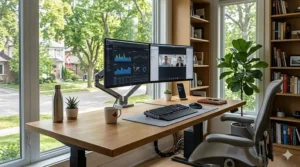
A wide desk for dual monitors isn’t just about having extra space; it’s about creating an ergonomic command centre that supports your neck, shoulders, and workflow simultaneously. Canadian remote workers, programmers, and gamers are discovering that the sweet spot lies in desks measuring at least 60 inches (152 cm) wide with depths of 24-30 inches (61-76 cm). This configuration provides enough real estate for two 27-inch monitors side-by-side while leaving room for keyboards, notebooks, and that essential morning coffee.
The Canadian market presents unique considerations—shipping times across vast distances, currency fluctuations, and the need for furniture that withstands our climate extremes. Whether you’re setting up a home office in Toronto’s condo or a gaming den in Calgary, finding the right double monitor desk setup requires balancing surface area, adjustability, and build quality. In this guide, we’ll explore seven exceptional options available on Amazon.ca, from budget-friendly fixed desks to premium electric standing models, all tested against Canadian needs and priced in CAD.
Quick Comparison Table
| Desk Model | Size | Type | Price Range (CAD) | Best For |
|---|---|---|---|---|
| Tribesigns 63″ Computer Desk | 63″ × 24″ | Fixed with Monitor Stand | $160-$240 | Budget Multi-taskers |
| FLEXISPOT EN1 Standing Desk | 48″ × 30″ | Electric Height Adjustable | $380-$480 | Ergonomic Enthusiasts |
| FEZIBO 60″ Dual Drawer Desk | 60″ × 24″ | Electric with Storage | $400-$500 | Organized Professionals |
| VIVO 60″ Standing Workstation | 60″ × 24″ | Electric Sit-Stand | $420-$550 | Health-Conscious Users |
| Tribesigns 71″ Gaming Desk | 71″ × 24″ | Fixed with Shelves | $190-$280 | Programmers & Gamers |
| FLEXISPOT 60″ One-Piece Desk | 60″ × 24″ | Electric Seamless Top | $450-$580 | Premium Buyers |
| Tribesigns 79″ Two-Person Desk | 79″ × 28″ | Fixed Double Workstation | $230-$320 | Collaborative Setups |
💬 Just one click – help others make better buying decisions too! 😊
Top 7 Wide Desk for Dual Monitors: Expert Analysis
1. Tribesigns 63″ Computer Desk with Drawers & Monitor Stand
This Tribesigns 63″ Computer Desk delivers exceptional value for Canadian home offices seeking a spacious yet affordable solution. The two-tier design features an elevated monitor stand that accommodates dual 24-27 inch displays comfortably, while the main desktop measures 45″ × 19.7″ (114 × 50 cm), providing ample workspace for keyboards, documents, and peripherals.
Key specifications include premium E1 particleboard construction with a stainless steel frame supporting up to 200 lbs (90 kg). The integrated file cabinet offers two small drawers for office supplies plus an adjustable hanging file drawer compatible with both legal and letter-sized documents. The rustic brown and black finish brings industrial charm to any room.
Canadian buyers on Amazon.ca consistently praise the straightforward assembly (typically 2-3 hours) and sturdy build quality. Pricing ranges from $160-$240 CAD depending on colour variations. Shipping across Canada usually takes 5-8 business days with free delivery on eligible orders.
Pros:
✅ Ergonomic monitor riser reduces neck strain
✅ Built-in storage maximizes organization
✅ Excellent price-to-feature ratio
Cons:
❌ Fixed height limits flexibility
❌ Assembly requires two people for best results
This developer desk setup excels for programmers and students who need dedicated storage without electric adjustability complexity.
2. FLEXISPOT EN1 One-Piece Standing Desk 48″ × 30″
The FLEXISPOT EN1 represents the gold standard for Canadian professionals prioritizing ergonomics. While slightly narrower at 48 inches (122 cm), the exceptional 30-inch (76 cm) depth compensates beautifully, offering more surface area than many 60 inch desk Canada options with standard depth.
This electric height adjustable desk ranges from 28.9″ to 46.5″ (73-118 cm) with four programmable memory presets—perfect for alternating between sitting and standing throughout your workday. The one-piece seamless desktop eliminates gaps and wobble common in two-piece designs, creating a rock-solid foundation for dual monitors weighing up to 176 lbs (80 kg) combined.
Canadian customers appreciate the dual motor system’s smooth, quiet operation (under 50 dB) and anti-collision technology. The desk arrives in two packages for easier delivery across Canada’s diverse geography. Priced between $380-$480 CAD on Amazon.ca, it represents a mid-range investment with professional-grade performance.
Pros:
✅ One-piece desktop eliminates center seam
✅ Memory presets enable instant height switching
✅ Deeper workspace accommodates larger keyboards
Cons:
❌ 48″ width may feel tight for 32″ monitors
❌ Higher price point than fixed alternatives
This best wide desk for programmers Canada solution suits developers and designers who value posture flexibility.
3. FEZIBO 60″ Height Adjustable Electric Standing Desk with Double Drawer
The FEZIBO 60″ Dual Drawer Desk solves the eternal workspace dilemma: how to achieve both adjustability and storage. This clever design integrates two drawer compartments into the monitor shelf tier, keeping desk essentials organized while maintaining clean sightlines.
At 60″ × 24″ (152 × 61 cm), this multi-screen workstation provides textbook dimensions for dual monitor setups. The electric motor adjusts height from 28.3″ to 46.5″ (72-118 cm) with programmable memory buttons and anti-collision sensors. The raised monitor shelf promotes proper ergonomic viewing angles while the main desktop remains clear for active work.
Canadian reviews highlight the industrial-grade alloy steel frame’s stability even at full extension. The splice board design ships in two manageable boxes—a practical consideration for apartment dwellers navigating narrow hallways. Amazon.ca pricing sits at $400-$500 CAD with occasional promotional discounts.
Pros:
✅ Integrated drawers eliminate separate filing cabinets
✅ Monitor shelf creates ergonomic two-tier workspace
✅ Quiet operation (under 50 dB) ideal for video calls
Cons:
❌ Splice board design has visible seam
❌ Assembly requires careful alignment
This professional gaming desk excels for those who need both height flexibility and immediate-access storage.
4. VIVO Electric 60″ × 24″ Standing Desk Workstation (DESK-KIT-1B6B)
The VIVO DESK-KIT-1B6B brings no-nonsense reliability to the 60 inch desk Canada category. This electric standing workstation features a complete one-piece black top paired with a sturdy black frame, creating a sleek monochromatic aesthetic perfect for contemporary offices.
The memory controller allows four preset heights within the 28″-48″ (71-122 cm) range, accommodating users from 5’2″ to 6’4″ comfortably. The 60″ × 24″ surface easily supports dual 27-inch monitors with room for a full-size keyboard and mouse pad. Weight capacity reaches 176 lbs (80 kg), sufficient for heavy monitor arms and desktop PC towers.
Canadian customers value VIVO’s responsive customer service and comprehensive 3-year manufacturer warranty. The desk ships from Canadian warehouses in two cartons, significantly reducing delivery times compared to overseas shipping. Pricing ranges from $420-$550 CAD on Amazon.ca.
Pros:
✅ Three-year warranty provides peace of mind
✅ Ships from Canadian warehouses for faster delivery
✅ Solid one-piece top ensures stability
Cons:
❌ Limited colour options (black only)
❌ Basic controller lacks advanced features
This double monitor desk setup works beautifully for minimalists who prioritize function over aesthetics.
5. Tribesigns 70.9″ Computer Desk with CPU Shelf & Monitor Stand
For those who find 60 inches limiting, the Tribesigns 70.9″ Computer Desk stretches productivity to new lengths. At nearly six feet wide, this fixed-height desk accommodates triple monitor configurations or expansive dual-screen setups with abundant peripheral space.
The elevated monitor stand measures the full 70.9 inches, providing continuous support for multiple displays while maintaining ergonomic viewing heights. Dual CPU shelves positioned on the inner sides cleverly store computer towers above floor level, protecting them from dust while freeing legroom. The heavy-duty metal frame supports up to 300 lbs (136 kg).
Canadian buyers appreciate the rustic brown finish that adds warmth to home offices without sacrificing professional appearance. The desk’s generous dimensions (70.9″ × 23.6″ × 35.4″) make it ideal for corner installations or wall-spanning setups. Amazon.ca pricing ranges from $190-$280 CAD, remarkable value for the surface area provided.
Pros:
✅ Massive workspace accommodates 3+ monitors
✅ CPU shelves create clean cable management
✅ Heavy-duty construction ensures long-term stability
Cons:
❌ Large footprint requires significant floor space
❌ Fixed height limits ergonomic adjustability
This developer desk setup shines for programmers running multiple code editors and testing environments simultaneously.
6. FLEXISPOT 60″ × 24″ One-Piece Electric Standing Desk
The FLEXISPOT 60″ One-Piece Desk represents the pinnacle of seamless desktop technology. The 1-inch thick solid surface eliminates the weak center joint found in traditional two-piece designs, creating an impressively rigid platform for the most demanding multi-screen workstation needs.
This premium model features dual motors for smooth, synchronized lifting from 28.1″ to 45.7″ (71-116 cm). The memory controller stores four height presets with digital height display. The seamless construction proves especially valuable when using heavy monitor arms that clamp to desk edges—no worries about splitting seams or uneven surfaces.
Canadian professionals note the desk’s exceptional stability even at maximum height with full monitor loads. The white frame and desktop option brightens home offices while maintaining professional polish. Priced at $450-$580 CAD on Amazon.ca, this represents a significant investment justified by superior build quality and longevity.
Pros:
✅ Zero wobble thanks to one-piece construction
✅ Dense, sag-resistant 1″ thick desktop
✅ Dual motor system ensures smooth operation
Cons:
❌ Premium pricing above budget-conscious buyers
❌ Heavier package requires careful unboxing
This best wide desk for programmers Canada option suits developers and designers who demand absolute stability for precision work.
7. Tribesigns 78.7″ Two-Person Desk with Monitor Stand
The Tribesigns 78.7″ Two-Person Desk redefines collaborative workspaces with its generous 78.74″ × 27.56″ (200 × 70 cm) footprint. Designed to comfortably seat two users side-by-side, this desk excels in scenarios ranging from couple’s home offices to collaborative development teams.
Each workspace benefits from dedicated two-tier open storage shelves and shared access to the continuous monitor stand running the full length. The rustic brown engineered wood paired with a black steel frame creates modern industrial appeal while supporting up to 350 lbs (159 kg) total. The extra depth (27.56″ vs standard 24″) accommodates deeper monitors or leaves generous space behind displays for cable management.
Canadian couples working from home praise the cost-effectiveness—essentially two desks for the price of one standard model. Assembly takes 2-3 hours but results in an impressively stable structure. Amazon.ca pricing ranges from $230-$320 CAD, exceptional value for the dual-user capacity.
Pros:
✅ Accommodates two complete workstations economically
✅ Extended depth provides extra workspace flexibility
✅ Robust 350 lb weight capacity
Cons:
❌ Massive footprint requires spacious rooms
❌ Fixed height doesn’t suit users of different heights
This professional gaming desk works wonderfully for gaming couples or small businesses needing cost-effective dual workstations.
Understanding Wide Desk for Dual Monitors: The Ergonomic Foundation
A wide desk for dual monitors refers to workspace furniture specifically dimensioned to accommodate two computer displays while maintaining proper ergonomic positioning. The Canadian Centre for Occupational Health and Safety emphasizes that proper monitor positioning—with screens at arm’s length and tops at or slightly below eye level—requires adequate surface area that standard 48-inch desks simply cannot provide.
The minimum effective width for dual 24-inch monitors is approximately 55 inches (140 cm), accounting for monitor bezels, slight angling, and keyboard space. However, ergonomic best practices recommend 60 inches (152 cm) or wider to prevent the cramped positioning that leads to repetitive strain injuries. Studies on dual screen ergonomics demonstrate that workers using properly spaced monitors experience significantly less neck rotation and shoulder strain compared to single-screen users who constantly switch between windows.
For Canadian workers, particularly those in technology hubs like Waterloo, Vancouver, and Montreal, the transition to permanent hybrid work arrangements has elevated home office ergonomics from luxury to necessity. Desk depth matters equally—24 inches (61 cm) represents the absolute minimum, while 30 inches (76 cm) provides optimal viewing distance for larger displays. The combination of adequate width and depth creates what ergonomists call the “comfort zone,” where all essential tools remain within easy reach without awkward reaching or twisting motions that accumulate into chronic pain over months and years of daily use.
Choosing the Right Size: 60 Inch Desk Canada Standards
The 60 inch desk Canada market segment has emerged as the sweet spot for dual monitor configurations, balancing generous workspace with manageable room footprints. At 60 inches (152.4 cm) wide, these desks comfortably accommodate two 27-inch monitors—the most popular display size among Canadian professionals—positioned side-by-side with approximately 6 inches (15 cm) of clearance between bezels.
This spacing proves critical for ergonomic setup. When monitors sit too close together, users instinctively lean forward to distinguish details, straining eyes and promoting forward head posture that compresses cervical vertebrae. Conversely, excessive spacing forces excessive neck rotation between screens, engaging neck muscles in ways they weren’t designed for sustained activity. The 60-inch width allows proper 15-30 degree angling recommended by occupational health specialists, creating a gentle V-shape that minimizes rotational movement while maximizing screen visibility.
Canadian apartment dwellers particularly benefit from 60-inch desks as they fit comfortably along standard 8-foot (244 cm) walls while leaving space for bookcases or filing cabinets. Unlike 72-inch or 80-inch behemoths that dominate rooms, a 60-inch footprint integrates smoothly into bedrooms doubling as offices or den spaces converted to work areas. Depth considerations matter equally—pair 60 inches of width with at least 24 inches (61 cm) of depth, though 30 inches (76 cm) provides superior comfort for larger curved monitors or ultrawide displays increasingly popular in creative professions.
Weight capacity becomes paramount when supporting dual monitors plus mounting arms. Quality 60-inch desks for Canadian markets typically support 150-200 lbs (68-91 kg), sufficient for two monitors, a laptop, and assorted peripherals. Always verify weight ratings before installing heavy monitor arms, which can add 30-40 lbs (14-18 kg) to your setup through leverage forces.
Double Monitor Desk Setup: Ergonomic Configuration Guide
Setting up your double monitor desk setup correctly from day one prevents the nagging aches that plague poorly configured workstations. According to Government of Canada ergonomic guidelines, proper monitor positioning begins with height—the top of your display should align with or sit slightly below your natural eye level when seated upright.
Step 1: Determine Primary vs. Secondary Monitor Usage
If you use both screens equally (coding on one, documentation on the other), position them symmetrically in front of you with the meeting point centered on your body. This configuration minimizes neck rotation. If one monitor dominates your workflow—say 70% of your time viewing code while occasionally referencing documentation—place the primary display directly ahead and angle the secondary monitor 30-45 degrees to your dominant eye side.
Step 2: Set Viewing Distance
Your monitors should sit approximately arm’s length away—typically 20-28 inches (51-71 cm) from your eyes. Larger displays require greater distance to prevent eye strain from constantly scanning peripheral edges. For 27-inch monitors, aim for 24-26 inches (61-66 cm). For 32-inch displays, push back to 28-30 inches (71-76 cm).
Step 3: Adjust Monitor Height
The top edge of your screen should align with or fall 2-3 inches (5-7.5 cm) below your seated eye level. This downward gaze angle (10-20 degrees) reduces tear evaporation and eye strain while promoting neutral neck positioning. If you wear bifocals or progressive lenses, lower monitors further to avoid tilting your head backward.
Step 4: Angle for Optimal Viewing
Tilt monitors slightly backward (10-20 degrees from vertical) to ensure the screen faces your eyes directly rather than reflecting ceiling lights. Position screens to minimize glare from windows—perpendicular to windows works better than facing or backing them.
Step 5: Cable Management Strategy
Wide desks demand thoughtful cable routing to prevent tangled messes that become fire hazards. Use cable raceways mounted to desk backs or legs, keeping power cords separated from data cables to minimize electromagnetic interference. For standing desks, ensure cables have sufficient slack (add 30% extra length) to accommodate full height ranges without pulling connectors loose.
Step 6: Keyboard and Mouse Positioning
Position your keyboard directly in front of you—not offset to accommodate one monitor—with the space bar centered on your body. Your mouse should sit immediately adjacent to your keyboard at the same height, requiring minimal reaching. Wrist rests help maintain neutral wrist angles, though they’re meant for resting between typing, not supporting hands while actively working.
Step 7: Regular Micro-Adjustments
Even perfect initial setup requires refinement. After one week, assess whether you’re leaning left, right, or forward. These unconscious compensations signal misalignment. Small adjustments—raising one monitor an inch, angling the other five degrees—can eliminate persistent discomfort.
Best Wide Desk for Programmers Canada: Features That Matter
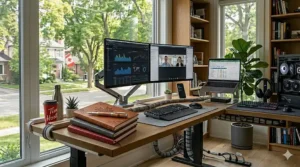
Canadian developers have distinct workspace requirements that generic office furniture often fails to address. A multi-screen workstation for programming demands not just width, but strategic feature integration that supports long coding sessions, complex debugging workflows, and the mental intensity that defines software development.
Depth for Ergonomic Viewing
While 60-inch width dominates discussions, serious programmers shouldn’t compromise on depth. Code editors with multi-pane layouts—IDE windows showing code, console output, file trees, and terminal windows simultaneously—benefit from monitors positioned farther back. A 30-inch (76 cm) deep desk allows that critical extra distance that reduces eye strain during 8-12 hour development marathons common during project sprints or bug fixes before releases.
Cable Management Sophistication
Development setups accumulate cables rapidly—dual monitors, external keyboards (mechanical switches for typing comfort), mice, webcams for remote standups, microphones for pair programming, charging cables for phones and tablets used for testing, external drives for backups, and often Arduino boards or Raspberry Pi devices for embedded development. Desks with integrated grommets, under-desk cable trays, or dedicated routing channels prevent the nightmarish cable spaghetti that hampers troubleshooting and creates trip hazards.
Monitor Mounting Flexibility
Many programmers upgrade to monitor arms after initial purchase, seeking perfect height and angle control. Ensure your chosen desk supports clamping mounts—requires minimum 0.75-inch (1.9 cm) desktop thickness and reinforced edges. Some budget desks use thin particleboard that cracks under monitor arm pressure. The FLEXISPOT and VIVO models mentioned earlier feature robust 1-inch thick tops specifically engineered for accessory mounting.
Storage for Development Resources
Physical books still matter—O’Reilly references, algorithm texts, networking guides. Desks with integrated shelving or drawers keep essential resources within reach without cluttering primary workspace. The Tribesigns models excel here, offering monitor stands that double as book shelves plus drawer storage for flash drives, dongles, and the endless collection of cables every developer accumulates.
Stability for Intense Typing
Aggressive typing on mechanical keyboards generates surprising desk movement. Wobbly desks shake monitors, disrupting focus and causing eye strain as screens bounce. Heavy-gauge steel frames with cross-bracing—standard in quality models above $300 CAD—absorb typing impacts without transmitting vibrations to displays. Test this before buying if possible; online reviews often mention stability explicitly.
Future-Proofing Considerations
Today’s dual 24-inch setup may evolve to dual 32-inch ultrawides or even triple monitor arrays as projects grow complex. Purchasing desks with width margins—say, 70 inches when you currently need 60—prevents costly replacements down the road. Similarly, electric standing desks future-proof against ergonomic needs as we age; what seems unnecessary at 25 becomes essential at 45 when back pain emerges.
Standing vs. Fixed Height: Making the Health Investment
The debate between electric standing desks and traditional fixed-height models fundamentally hinges on long-term health implications versus upfront cost considerations. For Canadian workers facing decades of desk-bound careers, this decision carries weight beyond furniture shopping.
The Health Case for Adjustability
Medical research consistently links prolonged sitting with increased risks of cardiovascular disease, diabetes, and musculoskeletal disorders. Studies referenced by CCOHS demonstrate that alternating between sitting and standing throughout the day—typically 20 minutes sitting, 8 minutes standing, 2 minutes moving—optimizes circulation, reduces lower back compression, and maintains muscle engagement that pure sitting suppresses. Electric standing desks enable this pattern seamlessly through programmable memory presets; you don’t abandon standing because manual cranking becomes tedious.
The Budget Reality
Quality electric standing desks like the FLEXISPOT and FEZIBO models command $380-$580 CAD compared to $160-$280 CAD for equivalent fixed-height Tribesigns options. That $200-$300 CAD premium represents significant investment for entry-level professionals, students, or businesses outfitting multiple workstations. However, contextualize this against Canada’s universal healthcare system—preventing one chronic back condition through better ergonomics saves thousands in physiotherapy, prescription costs, and lost productivity even with publicly funded care covering treatments.
The Compromise Positions
Some Canadians successfully bridge this gap using fixed desks paired with monitor arms and keyboard trays, achieving partial adjustability at lower cost. Others implement desktop risers like the FLEXISPOT Standing Desk Converter (available on Amazon.ca for $180-$240 CAD), placing these atop fixed desks for sit-stand flexibility without full desk replacement. These solutions work well for renters unable to store full desks when moving or those testing standing before committing to premium models.
Usage Pattern Predictions
Honestly assess your discipline. If you barely adjust your car seat or office chair now, will you actually toggle standing throughout your day? Enthusiastic initial standing often crashes into reality—feet ache, backs tire, old habits reassert. However, programmable memory presets remove friction; pressing one button becomes easier than manual cranking. Most electric standing desk users report sustained long-term use compared to manual alternatives’ abandonment rates.
Regional Considerations Across Canada
Vancouver’s tech scene trends heavily toward standing desks, normalized in startup culture where standing meetings and adjustable workstations signal progressive company culture. Toronto’s financial sector shows more conservative adoption, though younger fintech companies embrace adjustability. Prairie provinces demonstrate pragmatic cost-consciousness, favouring fixed desks unless health conditions mandate adjustability. Maritime provinces, with older housing stock featuring varied floor levels, appreciate standing desks’ built-in leveling capabilities through height adjustment.
Managing Cables and Accessories for Dual Displays
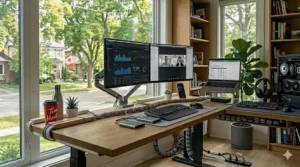
Even the most elegant multi-screen workstation degrades into visual chaos without deliberate cable management strategy. Dual monitors introduce exponential complexity—power cables, HDMI/DisplayPort video connections, USB hubs, audio cables, keyboard/mouse connections, and charging cables for phones, tablets, and wearables.
The Under-Desk Ecosystem
Quality cable management starts beneath your desk, invisible to casual observation but critical to functionality. Adhesive cable raceways (available on Amazon.ca for $15-$25 CAD) attach to desk undersides, routing power strips and excess cable slack away from legs and vacuum cleaners. The VIVO and FLEXISPOT desks often include integrated cable management trays, though aftermarket solutions like the Cinati Cable Management System ($20-$30 CAD) work beautifully with fixed-height models.
Grommet Holes and Routing
Desks featuring 2-3 inch (5-7.5 cm) diameter grommet holes enable clean cable drops from desktop peripherals to under-desk power strips. Position monitors near grommets to minimize visible cable runs. Snake keyboard and mouse cables through grommets first, followed by monitor cables—this layering prevents tangling during future adjustments. Rubber grommet inserts protect cables from sharp metal edges that can damage insulation over time.
Power Strip Positioning
Mount power strips to desk legs or undersides using cable ties or adhesive strips, keeping them off floors where spills risk electrical hazards. For standing desks, ensure power strips mount high enough to avoid cable tension at maximum height. Six-outlet strips with USB charging ports ($25-$40 CAD) eliminate separate phone chargers cluttering desktops.
Monitor Arm Cable Integration
If using monitor arms (recommended for ergonomic flexibility), route cables through arm channels before attaching monitors. Most quality arms feature integrated cable routing, but this only works if cables thread through before assembly. The VIVO Dual Monitor Arm (Amazon.ca, $80-$120 CAD) includes cable clips every 6 inches along arms, preventing droop that looks unprofessional during video calls.
Wireless Peripherals Consideration
Bluetooth keyboards and mice eliminate two cable sources immediately, though they introduce battery management complexity. Canadian winters’ dry indoor air creates static electricity that can disrupt Bluetooth connections in some models. If wireless peripherals disconnect frequently during -20°C outdoor days (affecting indoor humidity), wired alternatives provide reliability.
Labeling System
Once everything works perfectly, label every cable with its purpose using small adhesive labels or cable tags ($8-$12 CAD for 100-pack on Amazon.ca). Six months later, when troubleshooting why the second monitor isn’t detected, labeled cables prevent accidentally unplugging the wrong connection during testing.
Desk Materials and Durability in Canadian Climates
Canada’s dramatic seasonal humidity swings—from 15% winter dryness to 80% summer humidity in many regions—stress desk materials differently than moderate climates. Choosing materials suited to these extremes prevents warping, cracking, and finish degradation that plague poorly selected furniture.
Engineered Wood Performance
Most budget and mid-range desks use engineered wood—particleboard or MDF (medium-density fiberboard) covered with melamine, laminate, or wood veneer finishes. Quality matters enormously here. E1-grade particleboard (used by Tribesigns and FEZIBO) meets strict European formaldehyde emission standards while offering superior moisture resistance compared to budget grades. In dry Canadian winters, lower-grade particleboard edges can chip and crumble; in humid summers, they swell and warp.
Laminate finishes resist moisture better than wood veneers but can peel at edges if humidity fluctuates dramatically. Most Amazon.ca desk suppliers recommend maintaining 40-60% indoor humidity year-round—achievable with humidifiers in winter, dehumidifiers in summer. This protects both desks and human respiratory comfort.
Solid Wood Alternatives
True solid wood desks—increasingly rare at accessible price points—expand and contract seasonally. A 60-inch solid oak top might vary 1/8 inch (3mm) width between February’s dry cold and August’s humidity. This natural movement rarely causes functional problems but can create visible gaps at joints. Quality solid wood construction accounts for movement with floating panel designs. However, solid wood desks commanding $800+ CAD rarely appear in our target range.
Metal Frame Considerations
Steel desk frames resist climate effects but require powder coating or painting to prevent rust. Canadian winters introduce road salt tracked indoors on boots; summer humidity combines with air conditioning condensation. Quality desks use powder-coated steel with chip-resistant finishes. Cheaper models with spray-painted frames show rust within 6-12 months, particularly on foot pads contacting potentially damp flooring.
Desktop Thickness and Sag
For 60-inch spans, minimum desktop thickness of 0.75 inches (1.9 cm) prevents center sag under monitor weight. Premium models feature 1-inch (2.5 cm) tops that remain perfectly flat even supporting 200+ lbs (90+ kg). Thin desktops (0.5 inches/1.3 cm) common in budget models will sag visibly within months under dual monitor loads, creating uneven surfaces that disrupt mouse precision.
UV and Heat Resistance
Desks positioned near south-facing windows in summer sunlight risk finish degradation. Melamine and laminate finishes fade less than wood stains under UV exposure. More critically, laptops and monitors generate significant heat; cheap finishes can discolour around these hot spots within a year. Quality desks use heat-resistant finishes rated for sustained 50°C (122°F) contact—important when laptops exhaust heat directly onto desk surfaces during intensive tasks.
Maximizing Productivity with Your Wide Desk Layout
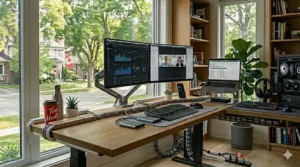
Purchasing a wide desk for dual monitors represents the first step; optimizing layout for productivity determines whether you actually leverage that investment. Strategic arrangement of monitors, input devices, reference materials, and environmental factors compound into workflow efficiency that measurably impacts daily output.
Monitor Hierarchy and Task Assignment
Designate your dominant monitor for primary tasks—code editors for programmers, design canvases for creatives, spreadsheets for analysts. Position this screen directly ahead, centered on your body. The secondary monitor handles supporting content: documentation, communication tools, reference browsers, monitoring dashboards. This assignment pattern reduces constant head swivelling that fragments concentration.
For programmers specifically, consider vertical monitor orientation for the secondary display. Code files often scroll vertically rather than horizontally; rotating one monitor 90 degrees displays 50-60 code lines simultaneously versus 30-35 in landscape. Many developers adopt one landscape monitor for primary coding, one portrait monitor for full-file viewing. Test this arrangement before permanently mounting monitors—some find portrait modes disorienting initially.
Reference Material Accessibility
Physical books, notebooks, or printouts shouldn’t stack on desk surfaces, consuming precious real estate. Utilize vertical space with monitor stand shelving (Tribesigns models excel here) or wall-mounted shelves positioned within arm’s reach above desks. Frequently referenced items—API documentation, style guides, network diagrams—belong in immediate visual range; archive less-used materials in drawers or off-desk storage.
Dual-Purpose Zones
Wide desks enable dedicated zones: left third for active writing (notebooks, sketching tablets), center two-thirds for digital workflow (monitors, keyboards), right third for administrative tasks (staplers, pens, incoming mail trays). This zoning prevents constant clearing and resetting as you switch between task types throughout the day.
Environmental Optimization
Window positioning relative to your desk dramatically affects screen visibility. Perpendicular window arrangements (windows to your left or right) minimize glare while maintaining natural light benefits. Facing windows creates backlight that forces monitor brightness increases and eye strain. Backing windows creates reflections in glossy monitors.
Overhead lighting should supplement rather than dominate. Position desk lamps (LED, 4000-5000K colour temperature) to illuminate reference materials without reflecting in monitors. The 20-20-20 rule—every 20 minutes, look 20 feet away for 20 seconds—combats eye strain regardless of desk quality.
Personal Touches and Mental Health
Sterile workspaces sap motivation over time. Small personal touches—plants (spider plants thrive in office lighting), framed photos, meaningful desk toys—personalize spaces without cluttering functionality. However, avoid the opposite extreme; excessive decorations become visual noise that subconsciously demands mental processing, reducing focus available for actual work.
Canadian seasons offer natural rotation opportunities. Winter might emphasize warm desk lamp lighting and cozy elements; summer enables brighter, airier aesthetics. These subtle seasonal shifts keep workspaces feeling fresh without costly redecorating.
Common Mistakes to Avoid When Buying
Canadian desk shoppers repeatedly make avoidable errors that transform promising purchases into expensive regrets. Learning from others’ mistakes prevents costly experiences.
Mistake 1: Ignoring Shipping Dimensions
That 79-inch two-person desk looks perfect online until delivery day reveals it won’t fit through your apartment’s 28-inch hallway. Always measure doorways, stairwells, and elevator dimensions before ordering oversized furniture. Many desks ship in two boxes specifically to navigate Canadian housing’s varied architecture—townhome stairs, condo elevators, basement doorways. Review product specifications for package dimensions, not just assembled size.
Mistake 2: Overlooking Weight Capacity
Two 27-inch monitors plus mounting arms weigh approximately 60-70 lbs (27-32 kg) combined. Add a laptop, external drives, speakers, and desk lamps, and you’re approaching 100 lbs (45 kg) before paperwork or coffee mugs. Budget desks rated for 110 lbs (50 kg) total capacity lack safety margins; aim for 150-200 lb (68-91 kg) ratings minimum for dual monitor setups.
Mistake 3: Forgetting About Depth
Width obsession blinds shoppers to depth requirements. A 60-inch wide by 18-inch deep desk feels cramped with monitors pushed against walls. Minimum 24-inch (61 cm) depth provides functional workspace; 30-inch (76 cm) depth enables comfortable arm positioning and deeper monitor placement that reduces eye strain.
Mistake 4: Ignoring User Reviews
Amazon.ca reviews reveal real-world Canadian experiences—assembly difficulty in cold garages, shipping delays to remote regions, customer service responsiveness. Sort reviews by “most recent” to catch quality changes as manufacturers adjust production. Reviews mentioning specific Canadian cities provide regional shipping insights; a Yellowknife review indicating 3-week delivery differs dramatically from Toronto’s 3-day experience.
Mistake 5: Cheap Standing Desk Motors
Budget electric standing desks under $300 CAD often use single motors that strain under dual monitor loads, creating slow, loud height adjustments. Dual motor systems ($380+ CAD) distribute weight more evenly, adjust faster, and last significantly longer. The $100 premium pays dividends in daily use quality and multi-year reliability.
Mistake 6: Assembly Underestimation
“Easy 30-minute assembly” often translates to “challenging 2-hour assembly for those comfortable with tools.” Wide desks include numerous parts—desktop sections, frame pieces, crossbars, drawers, hardware packets. Budget 2-3 hours for first-time assembly, have a second person available for lifting heavy components, and clear sufficient floor space for spreading parts during construction.
Mistake 7: Neglecting Future Needs
Today’s dual 24-inch monitors may evolve to dual 32-inch displays or triple monitor arrays as work complexity grows. Purchasing exactly enough desk (55 inches for current needs) eliminates upgrade paths without full replacement. Slightly oversizing (60-70 inches when 55 suffices) provides growth room and prevents costly future furniture shopping.
FAQ
❓ What is the ideal desk width for dual 27-inch monitors in Canada?
❓ Do electric standing desks justify the higher cost for Canadian home offices?
❓ How much weight can a typical 60 inch desk Canada model support?
❓ What desk depth works best for double monitor desk setup with large screens?
❓ Are wide desks from Amazon.ca shipped quickly across Canada?
Conclusion: Investing in Your Ergonomic Future
Choosing the right wide desk for dual monitors represents more than furniture shopping—it’s an investment in your physical health, mental focus, and long-term productivity that compounds over years of daily use. Canadian professionals working from home permanently need workspace solutions that withstand our climate extremes while supporting the ergonomic demands of modern multi-screen workflows.
The seven desks we’ve explored offer solutions across budget ranges and feature sets. Budget-conscious Canadians will find exceptional value in Tribesigns’ fixed-height models starting at $160 CAD, while health-focused professionals should seriously consider FLEXISPOT or FEZIBO electric standing desks at $380-$580 CAD. The difference isn’t merely adjustability—it’s the downstream prevention of chronic back conditions, neck pain, and repetitive strain injuries that plague desk workers.
Remember that the desk itself represents just one component of ergonomic workspace design. Pair your 60 inch desk Canada purchase with quality monitor arms ($80-$120 CAD), ergonomic keyboards ($60-$150 CAD), and supportive seating ($200-$600 CAD for adjustable chairs meeting CCOHS guidelines). This holistic approach creates workstations that support not just current projects but entire careers.
As remote and hybrid work solidifies into Canada’s new normal, your home office deserves the same ergonomic attention previously reserved for corporate spaces. The aches you ignore at 25 become chronic conditions at 45—prevention through proper setup costs far less than treatment through physiotherapy, medications, and potential career limitations. Your desk choice today shapes your health tomorrow. Choose wisely, and your body will thank you for decades to come.
Recommended for You
- 7 Best Slim Computer Desk for Condo Canada 2026
- 7 Best Compact Desk Under $300 Canada 2026
- 7 Best Narrow Desk Under 40 Inches Canada 2026 | Compact Workstations
Disclaimer: This article contains affiliate links to Amazon.ca. If you purchase products through these links, we may earn a small commission at no additional cost to you.
✨ Found this helpful? Share it with your friends! 💬🤗
