
In This Article
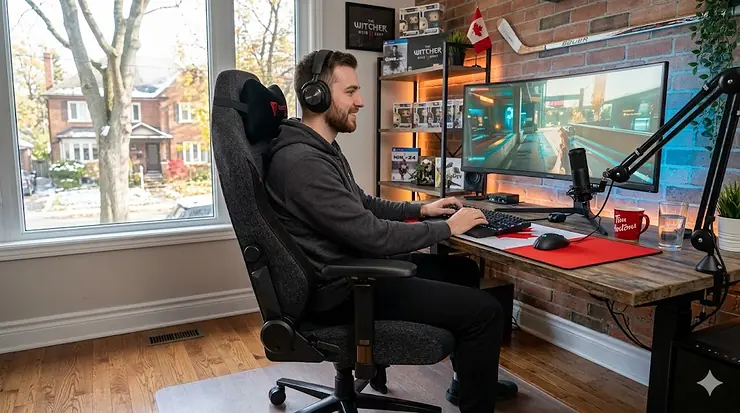
Picture this: it’s a Friday night in February, the wind chill outside is pushing -20°C, and you’ve just settled in for a marathon gaming session. Six hours later, you’re not thinking about the game — you’re thinking about your lower back. If that scenario sounds familiar, you’re not alone. Choosing the right gaming chair for long sessions isn’t just a comfort upgrade; it’s an investment in your physical health and your performance at the desk.
A quality gaming chair for long sessions is, in simple terms, an ergonomically designed seat built to support your posture, reduce spinal strain, and keep you focused for hours without the creeping fatigue that standard office chairs or budget alternatives simply can’t prevent. What separates a true long-session chair from a flashy-looking throne is the combination of lumbar support depth, seat foam density, armrest adjustability, and tilt mechanics — features that work together to keep your spine in a neutral position whether you’re deep in a raid or grinding ranked matches.
For Canadians, the stakes are slightly different. We spend more time indoors than most populations on earth, especially during those brutal winters from November through March. That means more screen time, more sitting, and more stress on our bodies. The Canadian Centre for Occupational Health and Safety (CCOHS) recommends chairs that allow for lumbar curve support, adjustable seat height, and armrests that allow your shoulders to remain relaxed — standards that this guide holds every product to. Research published on PubMed confirms that prolonged static sitting is “detrimental to metabolic health,” underscoring how critical your chair choice really is.
In this guide, I’ve researched and analysed seven of the best gaming chairs available on Amazon.ca in 2026 — from a budget gaming chair under 300 CAD to premium ergonomic models designed for the most demanding 8-hour gaming sessions. Whether you’re a casual weekend warrior or a full-time streamer in Calgary, there’s a pick here for you.
Quick Comparison: Best Gaming Chairs for Long Sessions in Canada (2026)
| Chair | Best For | Lumbar Type | Recline | Price Range (CAD) | Amazon.ca Available |
|---|---|---|---|---|---|
| Secretlab Titan Evo | Overall premium pick | Built-in 4-way adjustable | Up to 165° | $550–$700 | ✅ Yes (Prime eligible) |
| Razer Iskur V2 | Back pain & ergonomics | 6D integrated | Up to 152° | $450–$550 | ✅ Yes |
| AndaSeat Kaiser 3 | Big & tall gamers | Memory foam pillow | Up to 165° | $480–$580 | ✅ Yes |
| Corsair T3 Rush | Streamers & long hours | Memory foam pillow | Up to 150° | $300–$400 | ✅ Yes |
| GTRacing Pro Series GT099 | Budget ergonomics | Adjustable pillow | Up to 170° | $180–$250 | ✅ Yes |
| Homall S-Racer | Entry-level / first chair | Pillow-based | Up to 180° | $140–$200 | ✅ Yes |
| Brassex Gaming Chair | Canadian-made value | Adjustable pillow | Up to 155° | $250–$380 | ✅ Yes |
The table above immediately shows the core trade-off in this market: built-in lumbar support (Secretlab, Razer) costs more but pays dividends across 8-hour sessions, while pillow-based alternatives in the sub-$300 CAD range require more manual adjustment to stay effective. The Corsair T3 Rush occupies an interesting sweet spot — mid-range pricing with a memory foam pillow that’s softer and more forgiving than the cheap foam pillows on chairs at half the price.
💬 Just one click — help others make better buying decisions too! 😊
✨ Don’t Miss These Exclusive Deals!
🔍 Take your gaming comfort to the next level with these carefully selected chairs. Click on any highlighted item to check current pricing and availability on Amazon.ca. Your back deserves better than a $60 office chair from a liquidation sale!
Top 7 Gaming Chairs for Long Sessions: Expert Analysis
1. Secretlab Titan Evo — Best Overall Gaming Chair for Long Sessions in Canada
The Secretlab Titan Evo has earned its reputation as the benchmark for gaming chairs for long sessions, and the 2026 series continues to justify its price in a way that few chairs in this market ever do.
Key specs with real-world meaning: The 4-way adjustable integrated lumbar system is the defining feature here. Unlike loose pillows that slide out of position after 30 minutes, the built-in lumbar support moves with the backrest, maintaining consistent contact with your lower back whether you’re leaning forward to focus or reclining to relax. The cold-cure foam seat (rated for up to 395 lbs / 179 kg) holds its shape after years of daily use — something that cheap PU-foam chairs genuinely cannot claim after 18 months. The 4D CloudSwap armrests adjust in height, depth, pivot, and horizontal width, meaning you can actually eliminate shoulder tension regardless of whether you’re gaming at a high desk or a low one.
Canadian context: Secretlab ships from a Canadian distribution centre, which means no cross-border duties, no customs delays, and delivery within a week for most major cities. For Canadians in Toronto, Vancouver, or Edmonton, this is a significant advantage over chairs that ship from the U.S. The SoftWeave Plus fabric version breathes well during those warm, humid Ontario summers, while the leatherette holds up admirably through dry Prairie winters — both are available on Amazon.ca.
Customer feedback: Canadian buyers consistently note that assembly is straightforward (roughly 20 minutes), and many report using the chair daily for two or more years without visible foam compression or structural issues. The most common complaint is the firm seat cushion, which some users find uncomfortable for the first week until it breaks in.
✅ Built-in, truly adjustable lumbar (no sliding pillows)
✅ Ships from Canadian warehouse — no import fees
✅ Supports users up to 6’7″ (200 cm) and 395 lbs (179 kg)
❌ Premium price — a significant investment at the $550–$700 CAD range
❌ Firm seat takes 1–2 weeks to break in
Value verdict: Around the $600 CAD mark, this is the comfortable gaming chair for adults who sit 6+ hours daily and want to stop buying replacement chairs every two years.
2. Razer Iskur V2 — Best Gaming Chair with Lumbar Support for Back Pain
What separates the Razer Iskur V2 from the dozens of chairs claiming ergonomic credentials is the specificity of its lumbar engineering, and for Canadian gamers dealing with back pain, this specificity matters enormously.
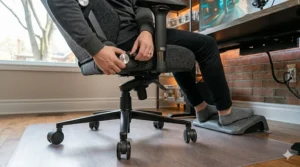
Key specs with real-world meaning: The V2’s 6D lumbar system adjusts vertically, for depth, and — uniquely — swivels 360 degrees to follow your lateral body rotation in real time. In practice, this means the lumbar support stays in contact with your spine even when you shift in your seat to reach for a drink, lean into a turn on the wheel, or slouch slightly during a cutscene. The high-density foam cushions are stiffer than they look, which is actually a good thing — soft foam compresses quickly and loses its supportive properties, while firm foam maintains consistent pressure distribution. The 152° recline is aggressive enough for genuine rest during breaks without the unsteady feeling of chairs that recline to 180°.
Canadian context: The Iskur V2 is available in both fabric and leatherette on Amazon.ca. The fabric version is notably more breathable — an important consideration for gamers in humid coastal cities like Vancouver or Halifax during summer months. Razer’s Canadian warranty is handled domestically, so service claims don’t involve international shipping headaches.
Customer feedback: Buyers with chronic lower back issues report the most satisfaction with this chair compared to others in the $450–$550 CAD range. A recurring comment is that the lumbar “actually stays where you put it,” which sounds like a low bar until you’ve owned three gaming chairs with sliding pillows.
✅ 6D lumbar that rotates with your body — unmatched at this price
✅ Available in breathable fabric — better for warm/humid climates
✅ Detailed assembly instructions + included tool make setup easy
❌ 2D armrests (height-only) — limited for wider setups
❌ Recline stops at 152°, not ideal if you want a full flat rest position
Value verdict: In the $450–$550 CAD range, no other chair offers this level of genuine lumbar engineering. If you play 8-hour gaming sessions and back discomfort is your primary concern, this is the chair.
3. AndaSeat Kaiser 3 — Best Comfortable Gaming Chair for Adults Who Need More Room
The AndaSeat Kaiser 3 fills a gap that most gaming chair brands ignore: a premium, well-built seat for gamers who are taller than 6’1″ or wider than the standard racing-style frame accommodates.
Key specs with real-world meaning: The Kaiser 3 comes in Large (up to 6’2″ / 188 cm) and Extra Large (up to 6’7″ / 200 cm, 440 lbs / 200 kg) versions. The seat width on the XL version is noticeably broader than Secretlab’s comparable model — if you’ve ever sat in a gaming chair and felt like you were wedged into a sports car bucket seat, the Kaiser 3’s wider profile is the cure. The magnetic memory foam headrest is a thoughtful detail: it’s firm enough to actually support your neck during long sessions rather than just acting as decoration. The 4D armrests and 165° recline cover the ergonomic basics well.
Canadian context: AndaSeat ships to Canada through Amazon.ca with Prime eligibility on most configurations. The XL version is particularly relevant for Canadians — Canadian men rank among the tallest populations in North America, and the lack of XL sizing in mainstream gaming chairs is a genuine frustration. Both colour options (Black and Linen) are available on Amazon.ca.
Customer feedback: Taller and larger Canadian buyers frequently call the Kaiser 3 the first gaming chair that actually “fits.” The memory foam headrest receives consistent praise for not compressing into nothing after a few months of use.
✅ XL version supports up to 440 lbs (200 kg) — exceptional for big & tall gamers
✅ Magnetic memory foam headrest stays in position
✅ More subtle aesthetic — less “racing car” than competitors
❌ Memory foam pillow lumbar still slides over very long sessions
❌ Heavier to assemble — budget 45–60 minutes
Value verdict: In the $480–$580 CAD range, this is the best option for Canadian gamers who have outgrown standard-sized chairs.
4. Corsair T3 Rush — Best Gaming Chair for 8 Hour Gaming and Streaming
The Corsair T3 Rush was clearly designed with marathon sessions in mind, and it shows in the material choices and padding philosophy — softer and more forgiving than the firm Secretlab seat, without sacrificing structural support.
Key specs with real-world meaning: The T3 Rush uses a soft-woven fabric upholstery that genuinely breathes — during a 6-hour gaming session in summer, the difference between this and PU leather is the difference between “mildly warm” and “I need a shower.” The memory foam lumbar pillow is denser and larger than the foam pillows on budget chairs, providing meaningful lower back contact rather than token support. The 150° recline with tilt-lock is well-calibrated for taking quick stretch breaks without fully abandoning your seat. The steel frame handles up to 120 kg (265 lbs) reliably.
Canadian context: This chair is Prime-eligible on Amazon.ca and ships domestically. The breathable fabric is a sensible choice for Canadians who use their gaming setup year-round — the leatherette alternatives get uncomfortably sticky in summer and stiff in cold basement gaming rooms during winter.
Customer feedback: Streamers and content creators who sit for 6–8 hours daily report the T3 Rush as “surprisingly comfortable” for its price range. The most common complaint is that the memory foam lumbar pillow needs re-positioning every couple of hours for tall users.
✅ Breathable fabric — dramatically better than PU leather for long sessions
✅ Memory foam lumbar denser than budget alternatives
✅ Available in multiple colours on Amazon.ca
❌ Lumbar pillow requires re-positioning over very long sessions for taller users
❌ Armrests are 3D — no forward/back adjustment
Value verdict: In the $300–$400 CAD range, this is the best comfortable gaming chair for adults who want real fabric breathability without breaking the bank.
5. GTRacing Pro Series GT099 — Best Budget Gaming Chair Under 300 CAD
The GTRacing Pro Series GT099 is the answer to a very Canadian question: “What’s the best gaming chair under 300 CAD that I won’t regret in six months?”
Key specs with real-world meaning: The GT099 features a high-back design with PU leather upholstery, a removable lumbar support pillow, a memory foam headrest pillow, and a reclining function up to 170°. The Class-3 gas lift (the most reliable grade, for reference — Class-2 is the one that slowly sinks mid-session) ensures height stability. The 360° swivel and smooth-rolling casters handle hardwood and carpet without the scraping sound that drives everyone in the room insane. At roughly 13 kg (29 lbs), it’s light enough to move between rooms without needing help.
Canadian context: GTRacing is consistently one of the top-selling gaming chair brands on Amazon.ca for the budget segment. The Pro Series ships from Canadian fulfillment centres with Prime shipping. For Canadian students or first-time buyers who can’t justify spending $500+ on a chair, this is a responsible entry point. Manage your expectations — it’s not a Secretlab, but it’s not trying to be.
Customer feedback: Budget-conscious buyers rate the GT099 highly for its price. The most common feedback is that the lumbar pillow feels adequate for 2–3 hour sessions but starts requiring manual adjustment beyond that — consistent with all pillow-based lumbar systems.
✅ Class-3 gas lift — reliable height retention
✅ Under $250 CAD — accessible for students and budget buyers
✅ Adjustable pillow lumbar + memory foam headrest included
❌ PU leather runs warm — less ideal for long summer sessions
❌ Pillow lumbar doesn’t replace integrated support for 8-hour gaming
Value verdict: The best budget gaming chair under 300 CAD on Amazon.ca for users who game 2–4 hours daily and aren’t ready to invest in premium ergonomics.
6. Homall S-Racer Gaming Chair — Best Entry-Level Gaming Chair for Beginners
The Homall S-Racer is the chair that appears in every “best gaming chair under $200 CAD” Reddit thread in Canada, and while it has real limitations, understanding those limitations helps you buy smarter.
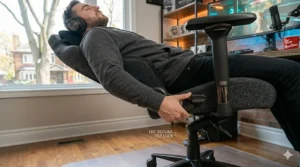
Key specs with real-world meaning: The S-Racer is a racing-style chair with PU leather upholstery, pillow-based lumbar and neck support, a 180° flat-recline function, and a steel frame. The 180° recline makes it versatile as both a gaming chair and a nap solution — which is either a feature or a distraction depending on how you look at it. The weight capacity sits at around 120 kg (265 lbs). What this chair does well is look the part and provide basic comfort for sessions under 3 hours.
Canadian context: Available on Amazon.ca with frequent pricing in the $140–$200 CAD range, the Homall is often the first chair Canadian students and new gamers buy. It’s a functional starting point, but if you’re gaming more than 3 hours daily, upgrading to at least the GTRacing tier within a year is likely. The PU leather can crack in dry Prairie-province air unless you treat it occasionally with a leather conditioner (a $10 CAD spray does the job).
Customer feedback: Buyers appreciate the easy assembly and low price point. The foam density is a common complaint after 6–12 months of heavy use — visible compression becomes noticeable, especially in the seat cushion.
✅ Excellent price point — accessible for all budgets
✅ 180° recline for versatile use
✅ Quick and simple assembly
❌ Foam compresses noticeably after 6–12 months of heavy use
❌ PU leather not ideal for hot/humid climates or arid Prairie air
Value verdict: In the $140–$200 CAD range, a solid first gaming chair — set realistic expectations and consider it a 1–2 year chair rather than a long-term investment.
7. Brassex Gaming Chair — Best Canadian-Made Option
Brassex is an Ontario-based furniture manufacturer, and their gaming chair line quietly solves a problem many Canadian buyers don’t think about until after the purchase: what happens when you need a warranty claim, a replacement part, or customer service without a time zone barrier?
Key specs with real-world meaning: Brassex gaming chairs range from basic racing-style designs to more ergonomic high-back options, all in the $250–$380 CAD range. The foam density sits between the budget GTRacing tier and premium Secretlab quality — noticeably better than sub-$200 chairs, though not at Secretlab’s level. The steel frames are robust, the PU or fabric upholstery is stitched to Canadian quality standards, and the gas lifts are Class-3. The adjustable lumbar pillow and 4D armrests cover the ergonomic basics.
Canadian context: Brassex is sold both on Amazon.ca and at Canadian retailers including Wayfair.ca and HomeSense. Warranty service is handled domestically — a genuine advantage over brands that require you to ship products internationally for claims. For Canadian buyers who prioritize supporting local industry and avoiding cross-border complications, Brassex represents the responsible mid-range choice. Their bilingual product documentation (English and French) also makes them compliant with Canada’s official languages requirements.
Customer feedback: Canadian buyers highlight the warranty service and domestic availability as primary purchase drivers. Build quality is rated positively for the price range, with the foam holding up better than similarly priced imported alternatives.
✅ Ontario-made — domestic warranty, domestic support
✅ Bilingual documentation — ideal for Quebec buyers
✅ Available at multiple Canadian retailers, not just Amazon.ca
❌ Less brand recognition than Secretlab or Razer
❌ Fewer ergonomic adjustments than premium imports at a similar price
Value verdict: In the $250–$380 CAD range, the best choice for Canadian buyers who want domestic warranty protection and the satisfaction of buying Canadian.
How Canadian Gamers Are Actually Using These Chairs: 3 Real-World Scenarios
Understanding which chair is best on paper is useful. Understanding which chair is best for your situation is genuinely valuable. Here are three Canadian-specific profiles matched to the right pick.
Profile 1: The University Student in Montreal Jérémy is a 22-year-old computer science student sharing a two-bedroom apartment in the Plateau. His budget is under $250 CAD — he’s got student loans and rent to think about. He games 3–4 hours daily after class, mostly FPS and battle royale. He doesn’t need the Secretlab experience; he needs something that doesn’t destroy his lower back during exam season. Best pick: GTRacing Pro Series GT099. It’s available on Amazon.ca with Prime shipping, costs under $250 CAD, and offers enough adjustability for sessions under 5 hours. The Class-3 gas lift means he won’t be slowly sinking mid-match.
Profile 2: The Full-Time Streamer in Vancouver Priya streams 6–8 hours daily from her home office in Burnaby. She’s been experiencing lower back fatigue and mild shoulder tension for the past year. Her budget is $500–$600 CAD and she’s ready to make a real investment. Vancouver summers can be muggy, so she wants breathable fabric. Best pick: Razer Iskur V2 in fabric. The 6D lumbar system addresses her back fatigue directly, the fabric upholstery handles Pacific Coast humidity better than leatherette, and Razer’s Canadian warranty means service is domestic.
Profile 3: The Remote Worker and Weekend Gamer in Calgary Mike is a 35-year-old project manager who works from home and games on weekends. He’s 6’3″ (191 cm) and weighs around 210 lbs (95 kg). His setup is in the basement, which stays cold from October to April. He wants one chair that works for both professional hours and gaming sessions. Best pick: Secretlab Titan Evo in SoftWeave Plus. The built-in lumbar handles both work posture and gaming recline without adjustment. It ships from Canadian warehouses, fits his frame without the “stuck in a bucket” feeling, and the SoftWeave Plus breathes better than leatherette in both cool basement air and summer heat.
Setting Up Your Gaming Chair for Long Sessions: A Practical Optimization Guide
Buying the right chair is step one. Setting it up correctly is where most Canadian gamers lose the benefits they paid for. Here’s what to do when your chair arrives.
Step 1: Set your seat height first. Sit down and ensure your feet are flat on the floor (or a footrest), your knees are at approximately 90°, and your thighs are parallel to the floor. For taller Canadians — and we do tend to run tall — many chairs need their gas lift extended to the maximum. If the chair doesn’t go high enough, a monitor riser and keyboard tray become necessary accessories.
Step 2: Adjust lumbar support before you adjust anything else. Position the lumbar pillow (or the built-in adjuster) so it makes contact with the natural inward curve of your lower back — roughly 5–8 cm (2–3 inches) above your waistband. Too low and it pushes your pelvis forward; too high and it arches your thoracic spine uncomfortably. This single adjustment eliminates 70% of lower back fatigue complaints.
Step 3: Set armrests to elbow height. When your arms rest naturally, your shoulders should be down and relaxed — not shrugging toward your ears. Armrests set too high force shoulder elevation that compounds into neck and trap tension after two hours. Most 4D armrests let you slide them inward too — do this if you’re using a narrow keyboard setup.
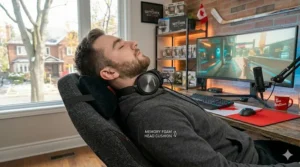
Step 4: Use the recline strategically. Gaming chairs for long sessions aren’t designed to be used at a rigid 90° angle for six straight hours. A slight recline of 100–110° actually reduces disc pressure in your lumbar spine compared to sitting perfectly upright. Use it. Set the tilt lock at that angle and treat it as your default gaming position.
Step 5: Cold-weather basement tip for Canadian gamers. If you’re gaming in a cold basement between October and April — which describes a significant percentage of Canadian gaming setups — leather and PU leather chairs feel stiff and cold for the first 15–20 minutes. SoftWeave or fabric upholstery chairs are dramatically more comfortable during those initial cold-room minutes. This sounds minor until you’ve sat in a cold PU leather chair on a January evening.
How to Choose a Gaming Chair with Ergonomic Features in Canada: 6 Key Criteria
Shopping for gaming chairs on Amazon.ca can feel overwhelming when every product description promises “premium ergonomics” and “maximum comfort.” Here’s how to cut through the marketing noise.
1. Lumbar support type matters more than anything else. Built-in adjustable lumbar (Secretlab, Razer Iskur V2) maintains contact without user intervention. Pillow-based lumbar requires re-positioning every 30–90 minutes during active gaming. For sessions under 4 hours, a good pillow is fine. For 6–8 hour sessions, built-in support is worth the premium.
2. Foam density determines long-term value. Cheap chairs use low-density foam that compresses within a year of regular use, destroying the ergonomic properties you bought it for. High-density cold-cure foam (Secretlab) maintains its shape for 3–5+ years. You can feel the difference by pressing firmly into the seat — low-density foam bottoms out easily; high-density foam resists.
3. Armrest adjustability affects your entire upper body. 2D armrests (height only) are the bare minimum. 4D armrests (height, depth, pivot, width) allow you to genuinely customize your arm position based on your desk height, keyboard position, and shoulder width. Canadian remote workers who use their gaming chair for work hours will benefit most from full 4D adjustability.
4. Check the weight and height capacity honestly. Most standard gaming chairs accommodate up to 120–130 kg (265–285 lbs) and 185 cm (6’1″). If you’re above either threshold, look specifically at XL models (AndaSeat Kaiser 3 XL, Secretlab Titan Evo XL). Gaming in a chair that’s too small for your frame negates every ergonomic feature it has.
5. Fabric vs. leatherette in Canadian conditions. Leatherette (PU leather) is easier to wipe clean and looks striking, but it runs warm in summer and stiff in cold rooms. Fabric (SoftWeave, mesh) breathes better year-round — a genuine consideration for the extremes of Canadian seasons. If you’re buying a long-term chair, fabric is the more practical choice for most Canadian climates.
6. Verify Amazon.ca availability and shipping. Some gaming chairs widely reviewed online are only available on Amazon.com and either don’t ship to Canada or arrive with cross-border duties that add $50–$100 CAD to the price. Always confirm Amazon.ca availability before deciding, and check whether it’s Prime-eligible for free shipping (Amazon.ca Prime typically covers free shipping on orders over $35 CAD for non-Prime members).
Gaming Chair vs. Office Chair: Which One Actually Wins for Long Sessions?
This is the question Canadian buyers ask most often before committing to a purchase, and the answer is genuinely nuanced — not the simple “gaming chairs are just for looks” dismissal you’ll find in some forums.
Where gaming chairs win:
Gaming chairs are designed with active recline in mind, which office chairs typically aren’t. The deep recline on models like the Secretlab Titan Evo (165°) and Razer Iskur V2 (152°) allows genuine positional variety during long sessions — something that a fixed-back office chair can’t offer. The integrated headrests on gaming chairs also provide neck support during reclined positions, which matters during long gaming sessions but is largely irrelevant in a standard office context. For buyers in the $300–$600 CAD range, premium gaming chairs now offer lumbar engineering that rivals comparably priced office chairs.
Where office chairs win:
At equivalent price points above $700 CAD, dedicated ergonomic office chairs (Herman Miller, Haworth, Steelcase) consistently outperform gaming chairs on lumbar adjustability, dynamic seat response, and long-term comfort during 8+ hour workdays. The Wikipedia article on ergonomic chairs notes that true ergonomic seating prioritizes dynamic adjustment over static support — a philosophy that premium office chairs execute more comprehensively than most gaming chairs.
The honest verdict for Canadian buyers:
If your budget is under $600 CAD and you’re gaming 4–8 hours daily, a premium gaming chair (Secretlab Titan Evo, Razer Iskur V2) is the smart choice — better recline than office chairs at the same price, competitive lumbar support, and designed for exactly your use case. If you’re also using the chair for 8 hours of professional work and budget isn’t a constraint, consider the Herman Miller Vantum Gaming Chair (available through Herman Miller Canada’s Toronto showroom and select Canadian retailers) — but be prepared to spend $900–$1,200 CAD.
| Feature | Gaming Chair ($400–$700 CAD) | Office Chair ($400–$700 CAD) |
|---|---|---|
| Deep recline | ✅ Excellent (150–165°) | ❌ Limited (typically 115°) |
| Headrest | ✅ Standard feature | ⚠️ Optional on most |
| Lumbar support | ⚠️ Varies by model | ✅ Generally superior |
| Breathability | ✅ Fabric options | ✅ Mesh common |
| Long-session comfort | ✅ Competitive at premium | ✅ Edges out at 8+ hours |
| Gaming aesthetic | ✅ Purpose-built | ❌ Office-standard look |
Both categories perform comparably in the $400–$600 CAD range when you select carefully. The gaming chair wins on recline and headrest; the office chair wins on lumbar precision. For most Canadian gamers, the gaming chair is the better-rounded choice.
✨ Don’t Miss These Exclusive Deals!
🔍 All seven chairs reviewed above are available on Amazon.ca — click any highlighted product name to check current pricing, colour options, and availability. Canadian Prime members enjoy free shipping on eligible orders!
Common Mistakes When Buying a Gaming Chair in Canada (And How to Avoid Them)
Seven years of gaming chair research have taught me that Canadians make the same five mistakes repeatedly. Here’s what to watch for:
Mistake 1: Buying based on looks from a YouTube review filmed in the U.S. Many gaming chair reviews are filmed in American studios and feature products that either aren’t available on Amazon.ca or carry significantly different (higher) prices in CAD after currency conversion and potential import duties. Always check Amazon.ca directly and confirm the price in CAD before budgeting. A chair listed at $350 USD is not $350 CAD — at current exchange rates, that’s closer to $490 CAD.
Mistake 2: Ignoring weight and height specifications. Gaming chair brands design their “standard” models for users up to 6’1″ (185 cm) and 130 kg (285 lbs). Sitting in a chair that’s too small for your frame means the lumbar support hits the wrong vertebrae, the seat edge cuts into your thighs, and the armrests don’t line up with your desk. Always check the manufacturer’s specifications and choose an XL model if you’re near or above those thresholds.
Mistake 3: Treating exact prices as fixed. Amazon.ca prices fluctuate constantly — sometimes by $50–$100 CAD within a single week, especially during Prime Day and Black Friday. Never make a same-day decision if you’re not in a hurry. Add chairs to your wishlist and monitor pricing over 2–3 weeks.
Mistake 4: Assuming all chairs ship to all provinces equally. Free Amazon.ca shipping typically requires Prime membership or orders over $35 CAD. However, for remote and northern communities — think Yellowknife, Whitehorse, or remote First Nations communities — shipping surcharges apply and delivery timelines can extend to 2–3 weeks. If you’re in a remote area, factor shipping costs into your total budget.
Mistake 5: Skipping the assembly instructions. Gaming chair warranties in Canada are voided by improper assembly — specifically, misaligned backrest attachment and incorrectly installed gas lifts. I know it’s tempting to go freehand, but 20 minutes with the instruction sheet prevents 80% of the squeaking, wobbling, and structural issues that new owners complain about.
FAQ: Gaming Chairs for Long Sessions in Canada
❓ What is the best gaming chair for 8 hour gaming sessions in Canada?
❓ Is a gaming chair with lumbar support better than an office chair for back pain?
❓ Are gaming chairs available on Amazon.ca with free shipping to all Canadian provinces?
❓ What is a good budget gaming chair under $300 CAD in Canada?
❓ Do gaming chairs in Canada come with bilingual (English/French) documentation?
Conclusion: The Right Gaming Chair for Long Sessions Is a Health Decision
Here’s the bottom line: choosing the best gaming chair for long sessions in Canada in 2026 isn’t just about comfort — it’s about protecting your body during the hours you spend doing something you love. Research published by the CCOHS is clear that proper lumbar support, adjustable seat height, and armrest positioning aren’t luxury features — they’re the baseline for healthy seated posture.
For Canadian buyers, the market has genuinely improved. The Secretlab Titan Evo ships from Canadian warehouses without cross-border fees. The Razer Iskur V2 delivers lumbar engineering that, two years ago, you’d only find on $1,000+ office chairs. The GTRacing Pro Series makes decent ergonomics accessible under $250 CAD. And Brassex offers the peace of mind of Canadian manufacturing with domestic warranty service.
My honest recommendation for most Canadian gamers: if your budget allows, stretch to the $450–$600 CAD range and get either the Secretlab Titan Evo or the Razer Iskur V2. The difference between a chair with integrated lumbar support and one with a sliding pillow is the difference between finishing a 6-hour session feeling tired and finishing it feeling like you’ve been sitting in a bag of gravel. Your spine is worth the investment.
For students and budget-conscious buyers, the GTRacing Pro Series GT099 is the honest best-value choice — take good care of it, re-position the lumbar pillow regularly, and take a 5-minute standing break every hour (your cardiovascular system will thank you too, according to research on prolonged sitting).
✨ Don’t Miss These Exclusive Deals!
🔍 Ready to upgrade your setup? Click any highlighted chair in this article to check current pricing and availability on Amazon.ca. Your back has been patient long enough — treat it to the support it deserves!
Recommended for You
- 7 Best High Back Executive Chair with Headrest Canada 2026
- Best Leather Executive Chair Under 1000 Canada 2026
- Steelcase Leap V2 Price Canada: 7 Best Ergonomic Chairs in 2026
Disclaimer: This article contains affiliate links. As an Amazon Associate, I earn from qualifying purchases. If you purchase products through these links, we may earn a small commission at no additional cost to you.
✨ Found this helpful? Share it with your friends! 💬🤗
